
How to add a counter to a ready-made website
Published: 2011-03-23
以下内容原本已是英文,按要求保持原样(专用名词和域名后缀未翻译):
```html
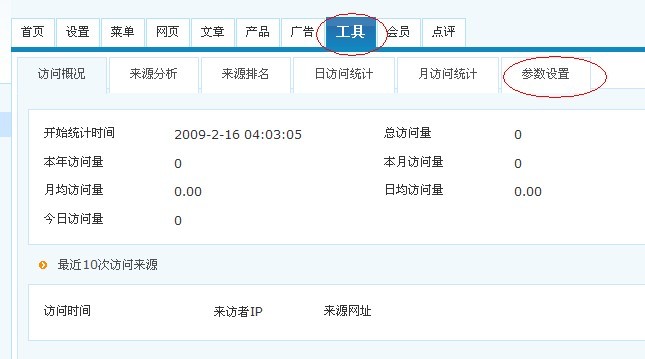
Step 1,enter the website management backend,select Tools,then click Parameter Settings
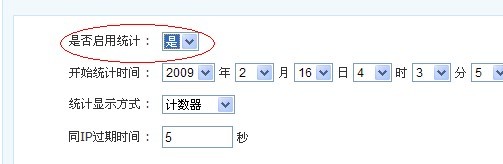
Step 2:After entering the Parameter Settings page,set the calculator to enabled, and modify the counter style at the same time.Then click Modify Settings
Step 3,enter the page where you want to add the counter
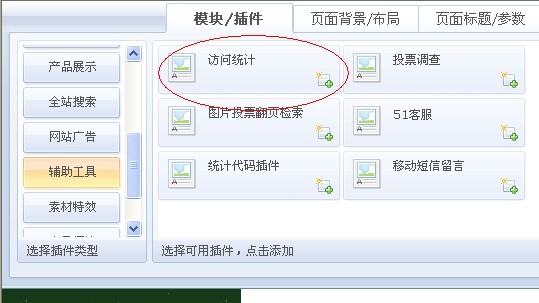
After adding, drag it to an appropriate position

After saving, the counter has been added successfully.
```