
How to View Directory File Space Usage When Virtual Host Space Exceeds the Limit
Published: 2013-04-27
Sometimes, you may receive a notice that the website space capacity has exceeded the limit. However, because there are many website directories, you do not know which directory under the website directory is taking up more space. What should you do in this case?
For users who have purchased 西部数码 virtual hosting, there is no need to worry about this problem. The 西部数码 virtual hosting control panel provides a quick inspection tool that can quickly find the folders that occupy storage space:
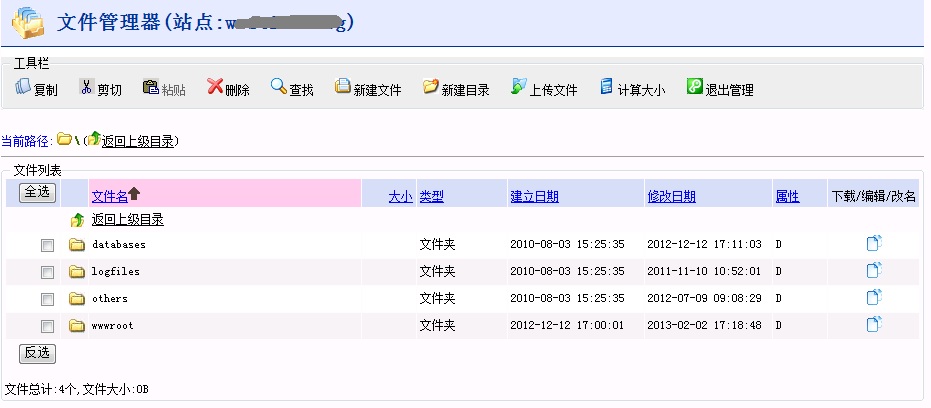
1. Log in to the management center and host control panel, and open the “File Management” function! [After opening, you can see the interface shown in the figure below]
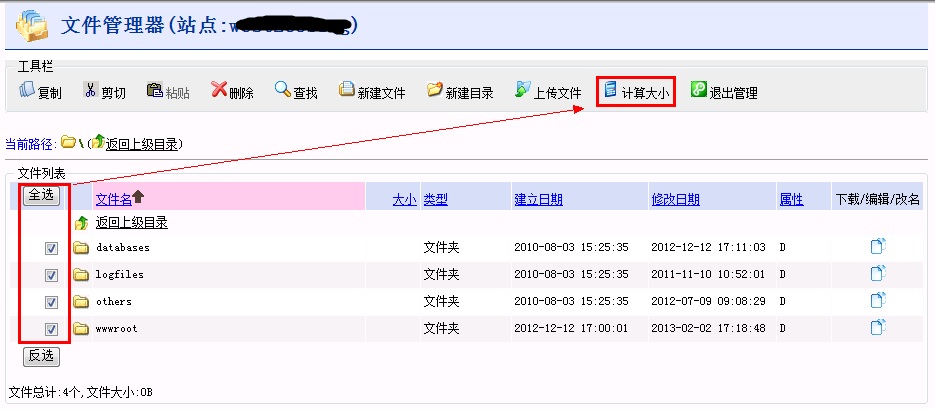
2. Select a folder, then click the “Calculate Size” button in the toolbar! [The demonstration image is as follows. Select the folder whose size you need to view, then click the “Calculate Size” button]
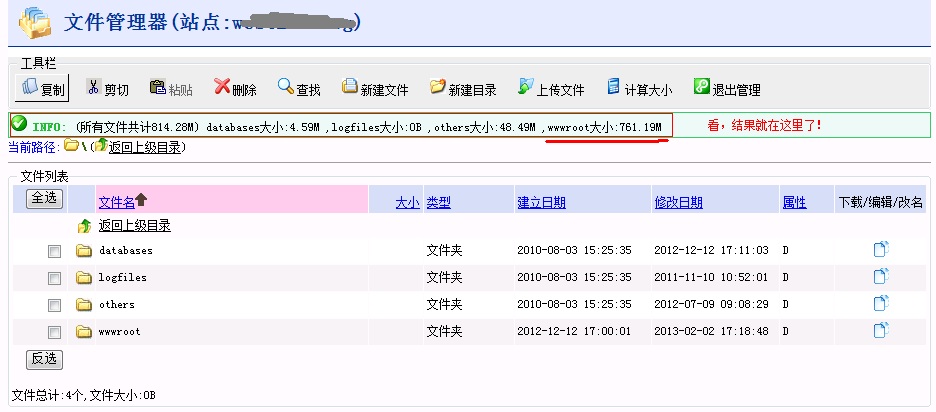
3. Done, the result is displayed! You can see which folder takes up more space! [As shown in the figure below, the calculation result will be displayed below the toolbar!]
The above is a little tip for users who purchased 西部数码 virtual hosting and want to quickly check the size of the space occupied by a certain folder!
tips: You can apply it to any directory, go try it now!