
Manual Restoration of MSSQL Database on Dedicated Server/VPS (SQL Server 2000 Version)
Published: 2010-03-02
1. First, please ensure that your backup file is a bak file, and that the backup file can be restored normally.
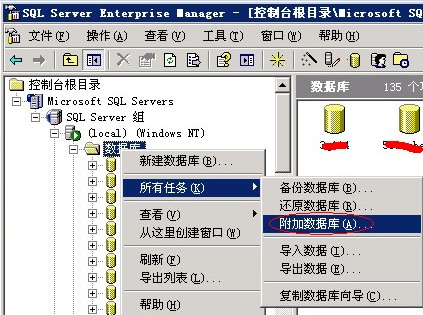
2. Open "Enterprise Manager" → "Databases", select the database you want to restore, right-click "All Tasks" → "Restore Database". As shown in the figure:
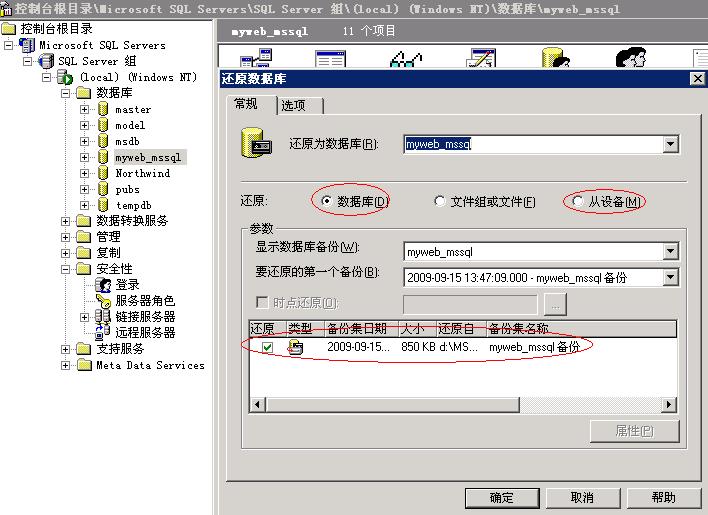
3. If you need to restore a file that was backed up before, directly select "Database" under "Restore", and then select the backup to restore below. If it was uploaded or copied from elsewhere, please select "From device" to restore. Click "Add" to add the backup file you need to restore. As shown in the figure:
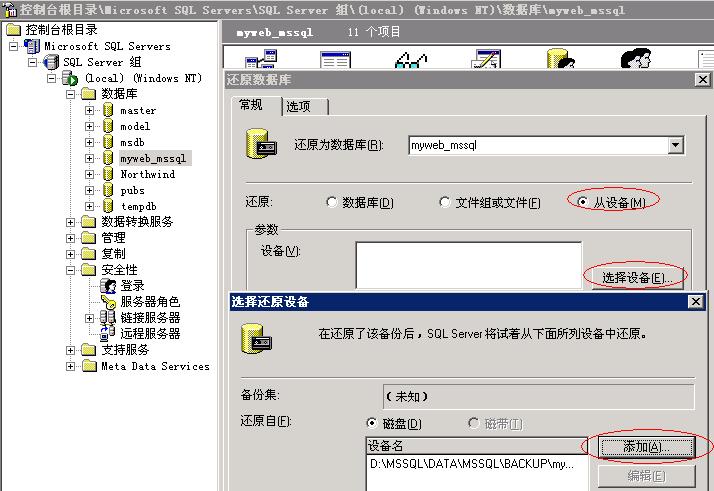
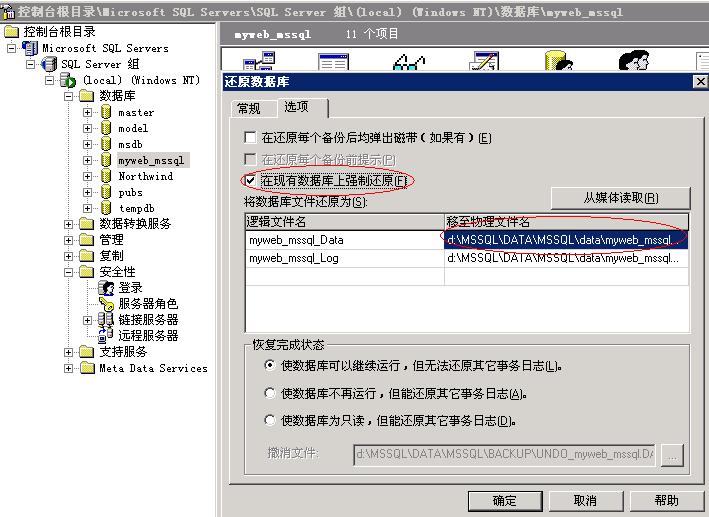
4. After clicking OK, click "Options" on the Restore Database dialog to view the path of the database after recovery. Sometimes the restore may fail; you can check "Force restore over existing database". At this point, the database restore process is complete. As shown in the figure:
5. If you already have MDF and LDF files, you can use the database attach function to attach them. First, upload your database mdf and ldf files to a directory on the server (generally do not put them on the system disk, to avoid data loss caused by system damage), for example, the d:\mssql directory, and give mssqluser full control permission on that directory. Then open Enterprise Manager, right-click "Databases" — "All Tasks" — "Attach Database", as shown in the figure:
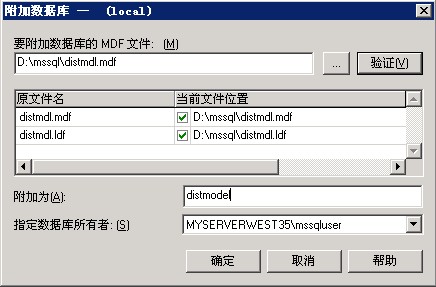
Click "..." to add the mdf file that needs to be attached, and specify the database name and database owner to attach, as shown in the figure:
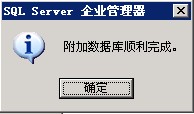
Click OK to attach the database successfully, as shown in the figure:
Note: If it is placed in another directory, be sure to first grant mssqluser full control permission on that directory; otherwise, restore or backup will fail. The directory where backups are saved must also have this permission!!
6. If you encounter an owner issue during restore, you can request the stored procedure for replacing the owner from our company. If you need our company to restore or attach the database on your behalf, our company provides a paid service at 50 yuan per time; no more than two databases will be processed each time, and we assume no responsibility for any data loss caused thereby! For mssql2005 version create, restore, and attach services, 50 yuan per time; no more than two databases will be processed each time, and we assume no responsibility for any data loss caused thereby! If you need this service, please make the payment and then log in to our company's website to submit an authorization via 有问必答.