
The virtual host files were accidentally deleted. How can I restore the backup?
Published: 2007-01-15
Q: I accidentally deleted important files while uploading via FTP. How can I restore the backup?
A: Log in to the host control panel and click the Backup Restore button.

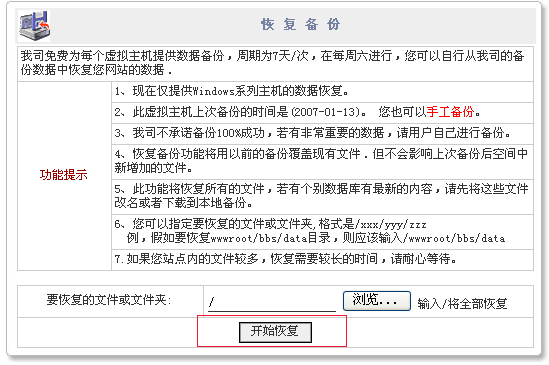
Select the folder you want to restore, then click Restore Backup. Wait a few minutes and the data will be restored. As shown below:
If your MySQL database was accidentally deleted and you need to restore it to the last backup, you can click Database in the virtual host center, then click "Restore MySQL Database" to restore the data from the last system backup.
