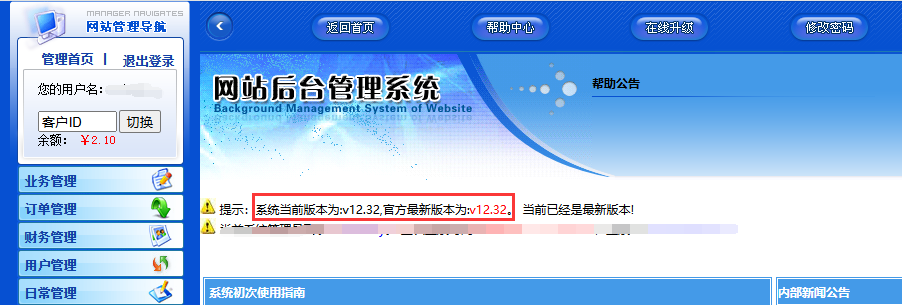
After changing the API interface password, how does the proxy platform update the API password and update the latest patch?
Published: 2026-08-14
I. Update Agent Platform API Password
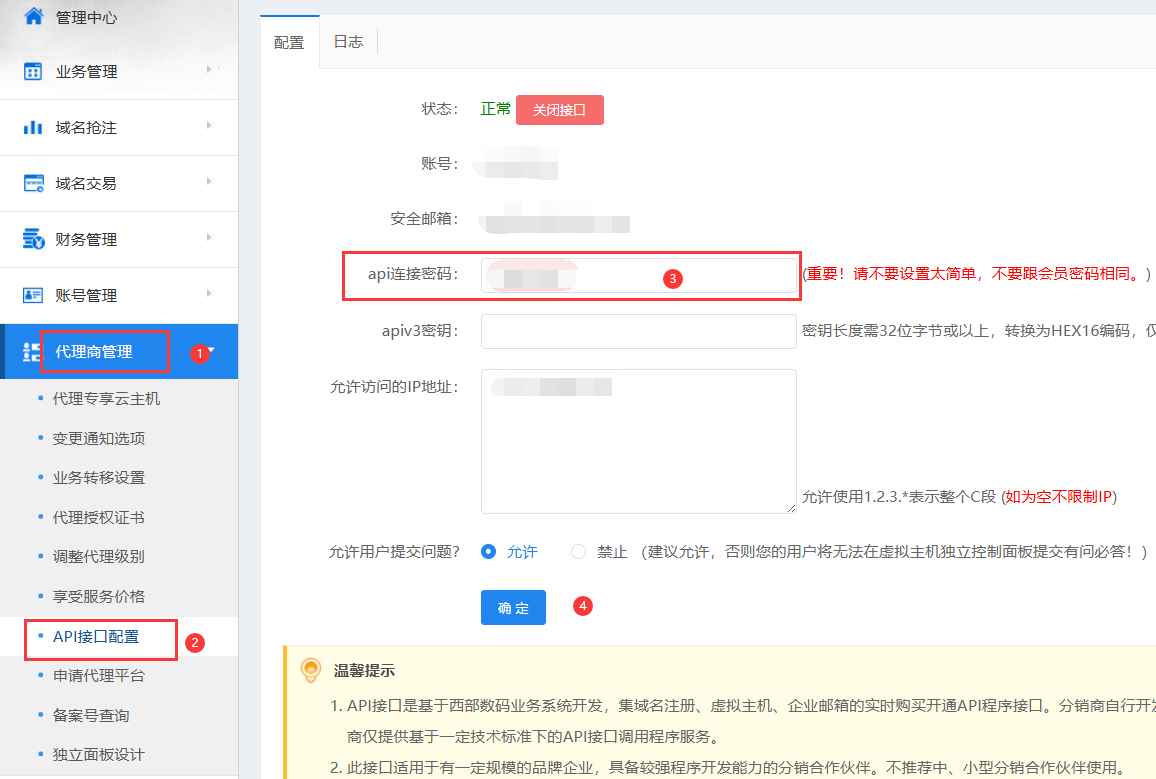
1. Change the API interface password. You can modify it under Account Management Center - API Interface Configuration - API Connection Password, as shown in the figure.
2. Log in to the Agent Platform backend - System Settings - System Settings - enter the new Agent Platform password, and then save.
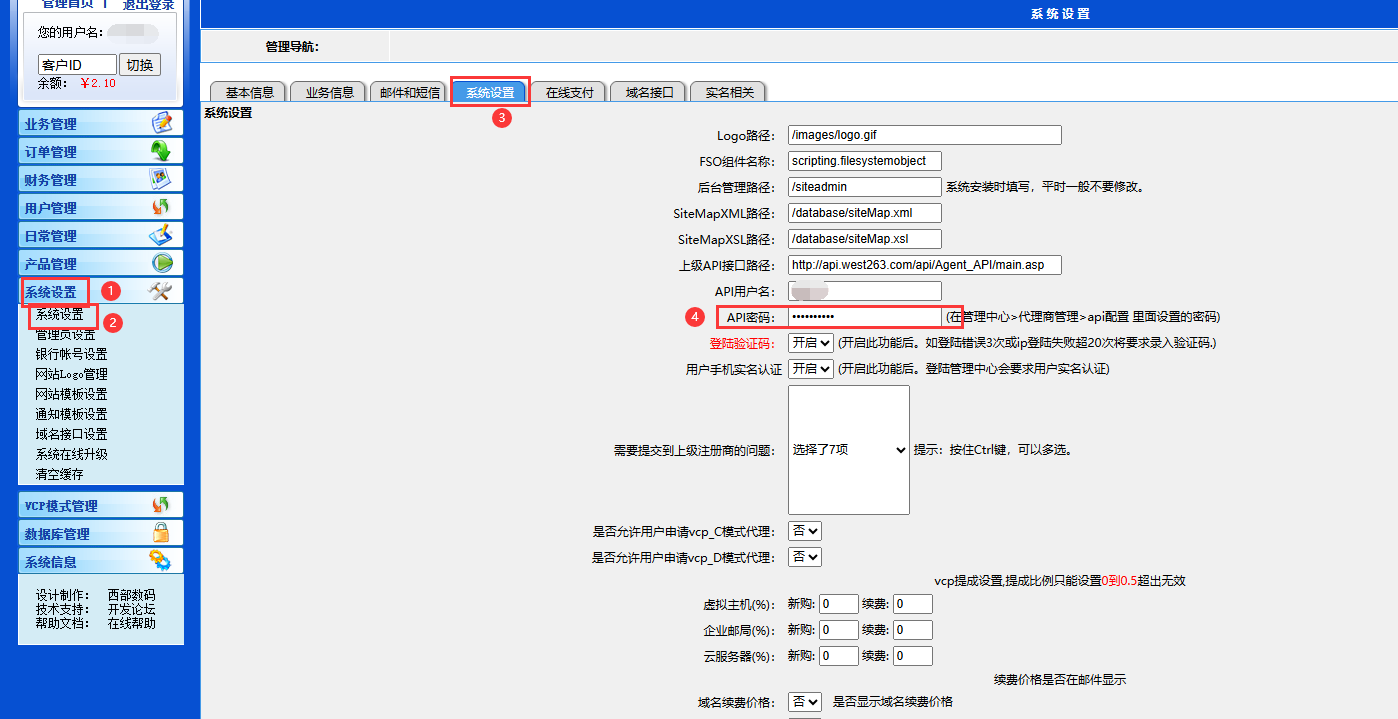
In addition, because the Agent Platform interface password can be used to manage all business, it is recommended to update the Agent Platform password regularly to prevent password leakage.
II. Update Agent Platform Patches
1. On the Agent Platform backend homepage, you can see the current version number and the latest version number. Click Upgrade Now
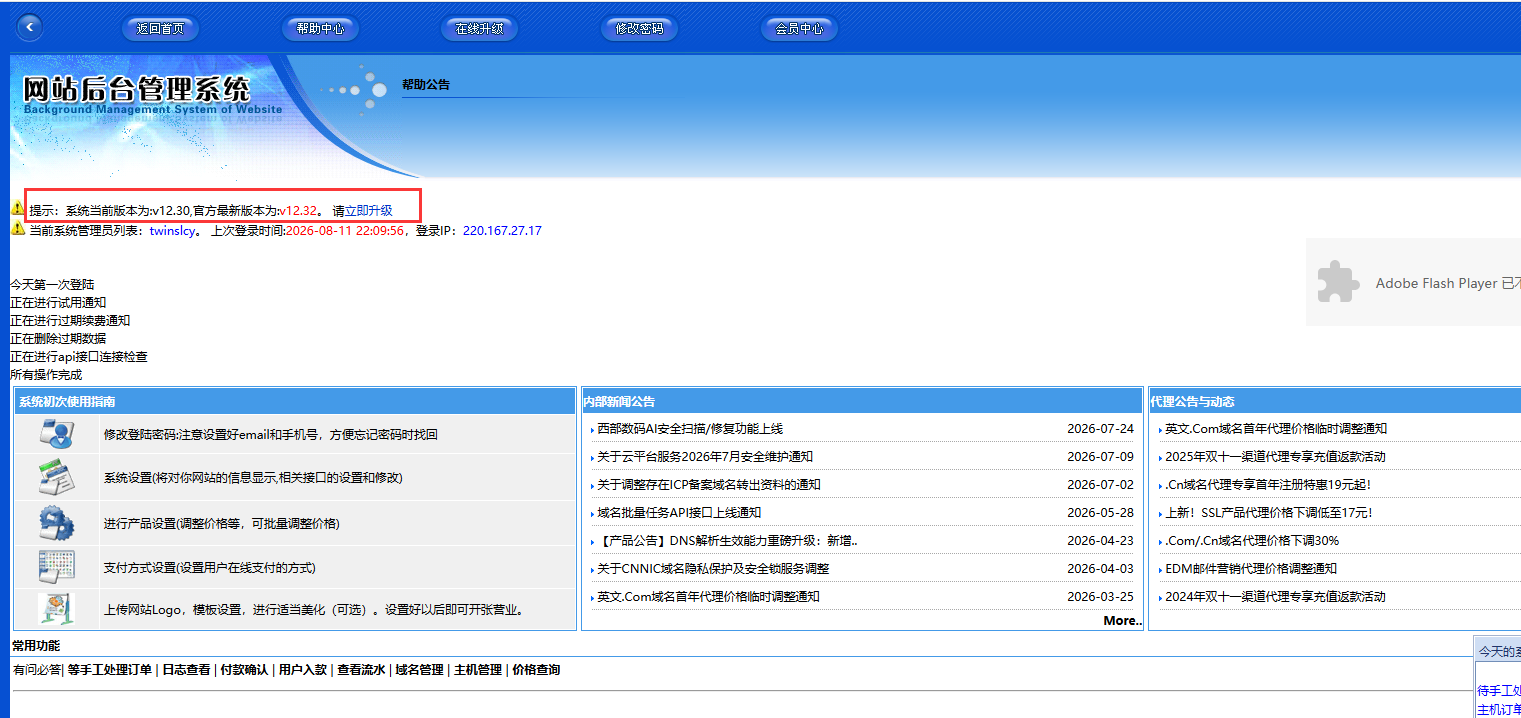
2. Click One-Click Update All Patches on This Page
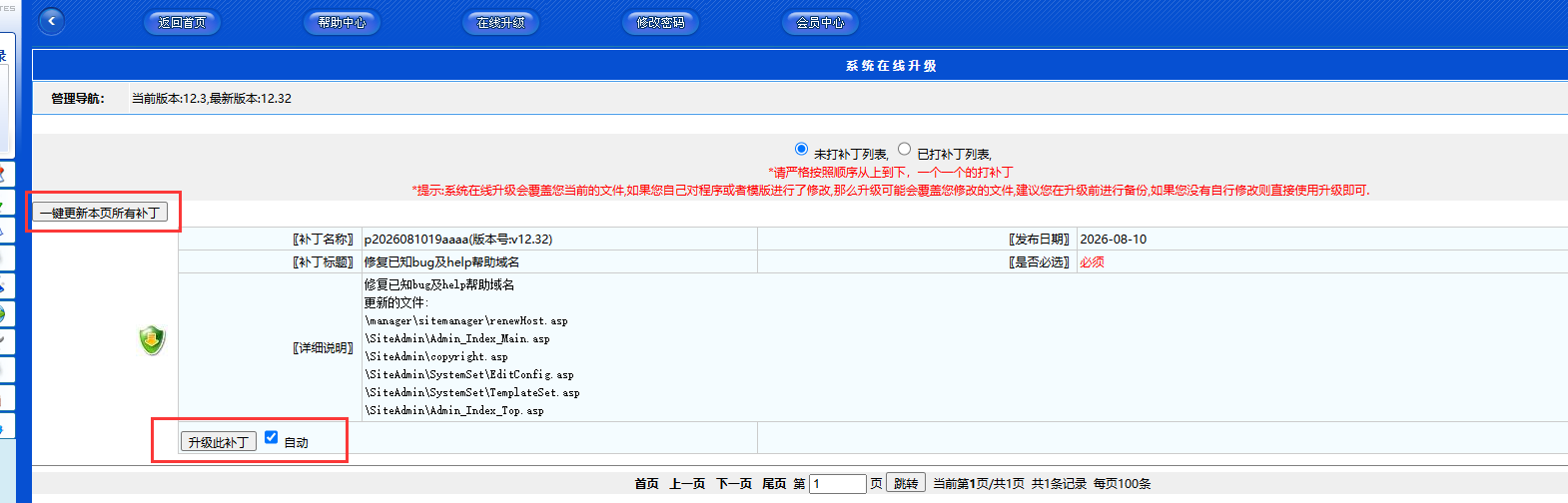
After the update is complete, return to the Agent Platform backend homepage. If the current version number is consistent with the latest version number, the update is complete.