
The process of using the westssl tool to automatically update SSL certificates on Windows systems.
Published: 2026-05-11
I. You need to set the API key first
1. You can set or reset it in "Member Center --- Account Management --- Settings Center--- SSL Certificate API Key Settings".
(Submit a ticket and our company will help you set up westssl automatic update, and this API key must be provided in the ticket)
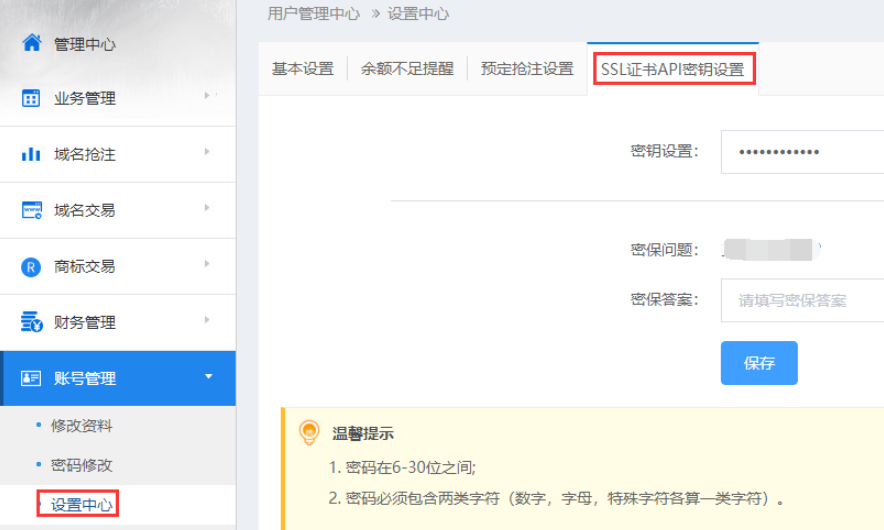
II. Remotely log in to the Windows server. Refer to the tutorial https://www.west.cn/faq/list.asp?unid=417#windows
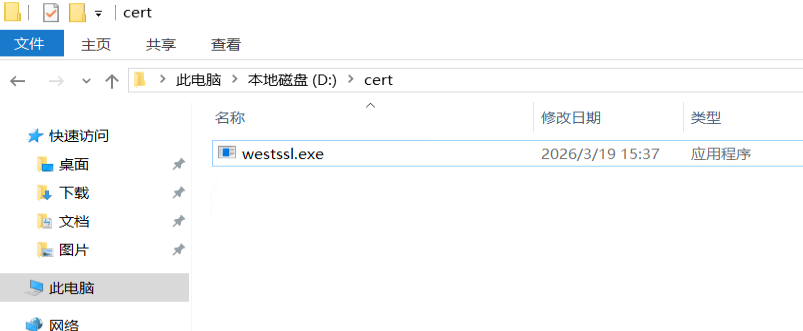
1. Create a directory named cert on the D drive ; use a browser to download http://downinfo.myhostadmin.net/westssl/westssl.exe
(If the download prompts that it cannot be downloaded securely, please right-click and choose "Save link as...") , it is recommended to save it in the d:\cert directory.
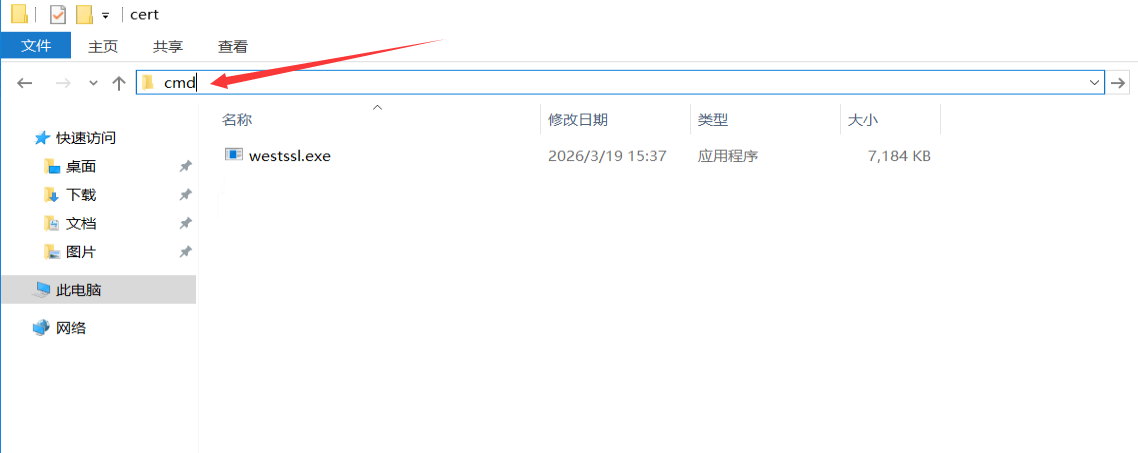
2. Enter cmd here in the directory to open the cmd command line
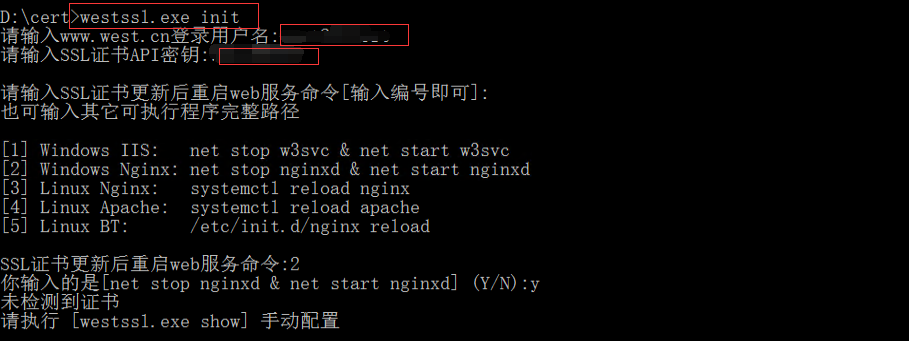
3. For first-time use, initialize it by entering westssl.exe init, then follow the prompts to enter your west.cn account and the API key set in step 1. After initialization, .westssl\config.ini will be generated automatically. Do not delete it.
Follow the prompts to select the web service restart command or manually enter the web restart command .
If you use Website Management Assistant + nginx, you can enter 2
If it is a pure IIS environment, you can enter 1
4. Configure SSL sites:
In the command line, enter westssl.exe show to configure, and select the number according to the prompts
For first-time configuration, you can select 1 to add

III. Create a scheduled task
(You must ensure that the server time is the correct Beijing time, otherwise the update may time out and fail!)
Enter the following command directly in the command line:
schtasks /create /RU system /SC DAILY /F /TN westssl_auto_update /TR "D:\cert\westssl.exe update -c D:\cert\.westssl\config.ini" /ST 01:00

Where:
westssl_auto_update Scheduled task name
"D:\cert\westssl.exe update -c D:\cert\.westssl\config.ini" The program and parameters to be executed
/ST 01:00 Executes at 1:00 every day