
Block or shield access by IP or IP range through the access control feature.
Published: 2026-01-14
```html
Log in to the virtual host management panel-click Access Control--click “Block IP Access” to proceed


Add the IP or IP range that needs to be blocked to the “Block IP Access” list and then click “Confirm Settings”.
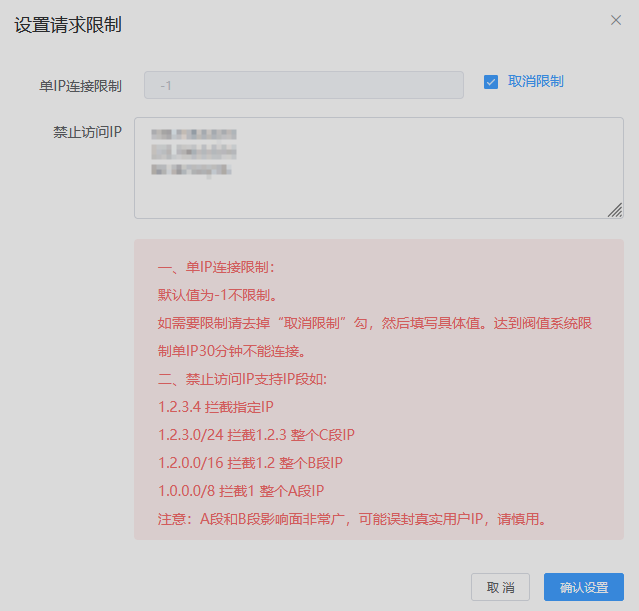
Note:
1.2.3.0/24 blocks the entire 1.2.3 Class C IP range meaning it blocks all 1.2.3.* IP addresses
1.2.0.0/16 blocks the entire 1.2 Class B IP range meaning it blocks all 1.2.*.* IP addresses
1.0.0.0/8 blocks the entire 1 Class A IP range meaning it blocks all 1.*.*.* IP addresses. Note: This range has the widest blocking scope; use it with caution.