Method for querying historical orders in 微信小程序
Published: 2025-11-17
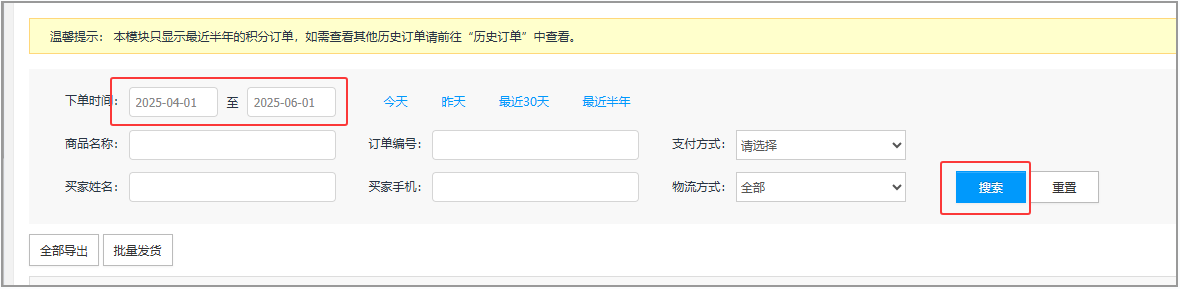
The WeChat Mini Program supports orders from the last six months by default. If you need to query orders from an earlier date range, you can use the following method.
Product orders, points orders, event orders, and multimedia orders can all use the following method to adjust the query range. The following uses the Edge browser as an example.
1. Click the corresponding order page to open the corresponding order page:
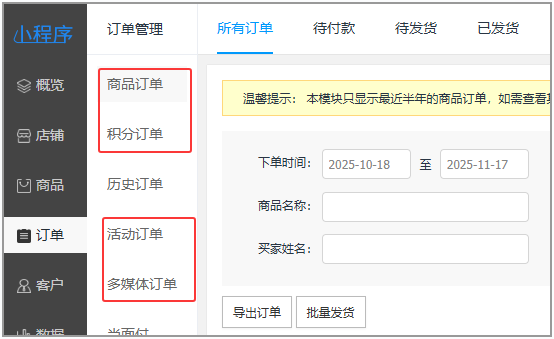
2. Press F12 to open DevTools
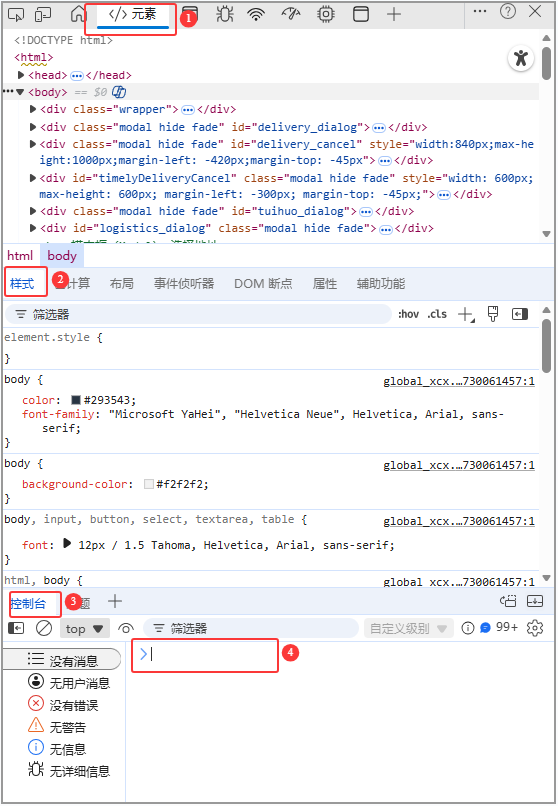
Click Elements → Styles → Console
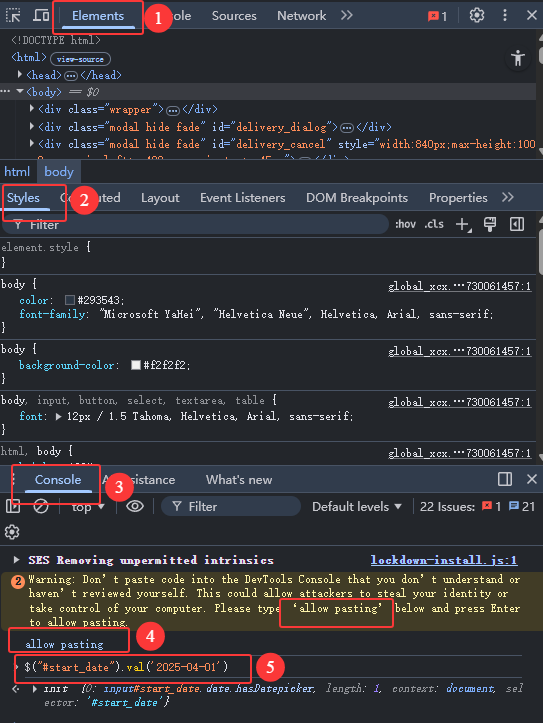
(The first time, you will be prompted to enter allow pasting before you can continue. For the console in the English interface, please enter allow pasting to continue.)
Copy $("#start_date").val('2025-04-01')
Press Ctrl+V , paste it after > , then press Enter.
If you also need to set the end time
Copy $("#end_date").val('2025-06-01')
Press Ctrl+V , paste it after > , then press Enter.
The dates in () can be adjusted according to your needs.
The browser has multiple interface layouts, as shown below:
Browser interface 1:
Browser interface 2:

English console interface (the first time it will report an error; you need to enter allow pasting as prompted, and then continue.):
3. Check whether the time is correct, then search.