External Domain Transfer-In Process for 聚名 Platform
Published: 2023-12-29
I. Submit the inbound at our company
1. In [Business Management] - [Domain Management] - [External Inbound], enter the domain name to be transferred in (just enter the top-level domain). Select "Juming" as the registrar, select a template (if you do not have a template, you can temporarily select a temporary template), and click [Confirm Submit]. As shown below:
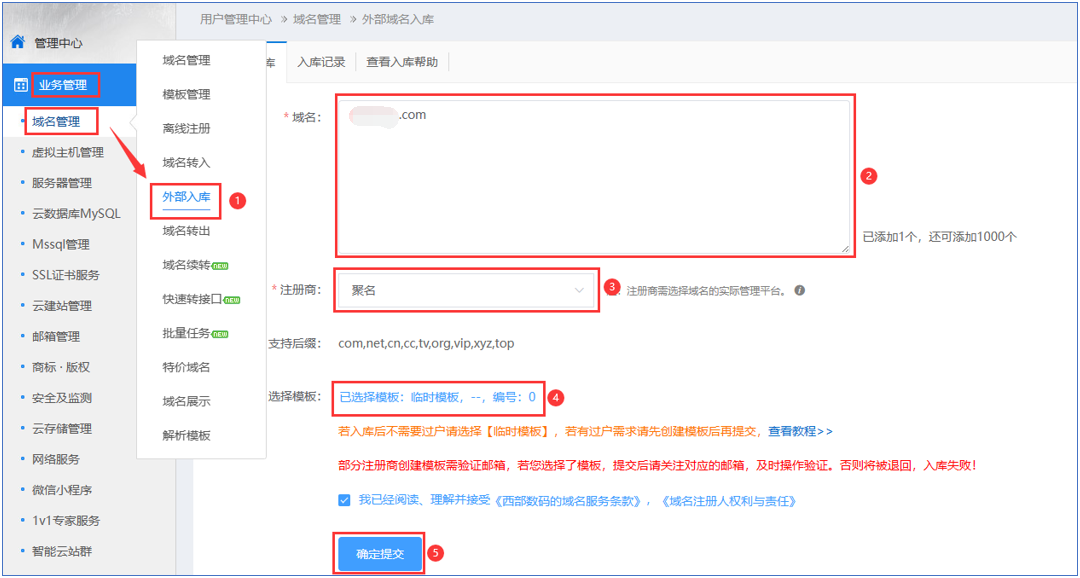
When selecting a template, it is recommended to select a real-name verified template. If you do not have one, you can first select a temporary template. After inbound, create a template and then transfer ownership (if ICP filing is required, please submit the ICP filing only after the ownership transfer is successful). As shown below:

2. After submission, the "Transfer Method" and "Our Account" will be displayed in [Inbound Records]. For Juming external inbound, you need to use the "0 yuan push" method to push to our account at Juming: 490367.

II. Log in to the Juming website and complete the push operation.
1. In [Domain Management] - [PUSH Domain], enter the domain name to be transferred in, enter the ID to transfer to (490367), select "0 Yuan PUSH" as the PUSH method, check "I have read and agree", and then click [Confirm]. As shown below:

III. Confirm the push at our company to complete the external inbound
1. In [Business Management] - [Domain Management] - [External Inbound] - [Inbound Records], click [Confirm Push] to complete the external inbound. (Do not click [Confirm Push] before the domain has been pushed from Juming to our account.)
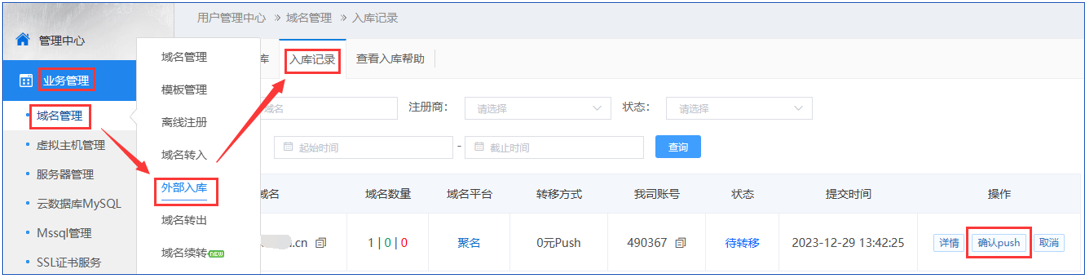
In the pop-up window, enter the PUSH number from Juming. Note: enter the Juming PUSH number, not the Juming account ID.

How to find the Juming number is shown below:

If the external inbound does not complete for a long time and shows "Processed" or "Pending Transfer", click [Details] to view the specific reason.
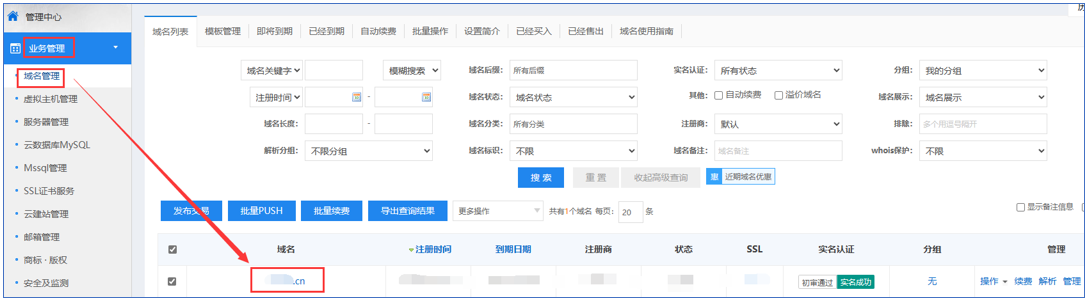
2. After the external inbound is successful, you can view the domain name transferred in externally in [Business Management] - [Domain Management] - [Domain List].