RDS-related help
Published: 2021-10-09
Users can set it to loose mode by themselves through commands. Using loose mode for a cloud database carries the risk of data synchronization exceptions, and users need to decide for themselves whether to set it. Our company assumes no responsibility for data exceptions arising from this.
1. Why does a database not appear in the database list after it is created?
Because the list reads from information_schema. A newly created database is an empty database with no data written to it, so it will not be written to the cache table and therefore will not be displayed. However, this does not affect normal use; you can directly operate on the newly created database.
2. What is the root password, and can it be changed?
Because the root account is a reserved account used for rds cluster data synchronization, the root password is not provided, and it absolutely must not be changed. Otherwise, it will cause cluster abnormalities and make it unusable.
3. Is read/write splitting disabled by default? So does the program need to connect separately to different databases for reads and writes?
Read/write splitting is disabled by default. If you need it, you can enable it in the console as shown below. The program does not need to separately connect to different databases to implement read/write splitting. Once read/write splitting is enabled, the cluster will automatically send read and write requests to different nodes respectively.

4. How to manage the database (what tool to use, how to connect)
4.1 If what you purchased has a public network, you can directly click login and use phpmyadmin to operate, as shown below

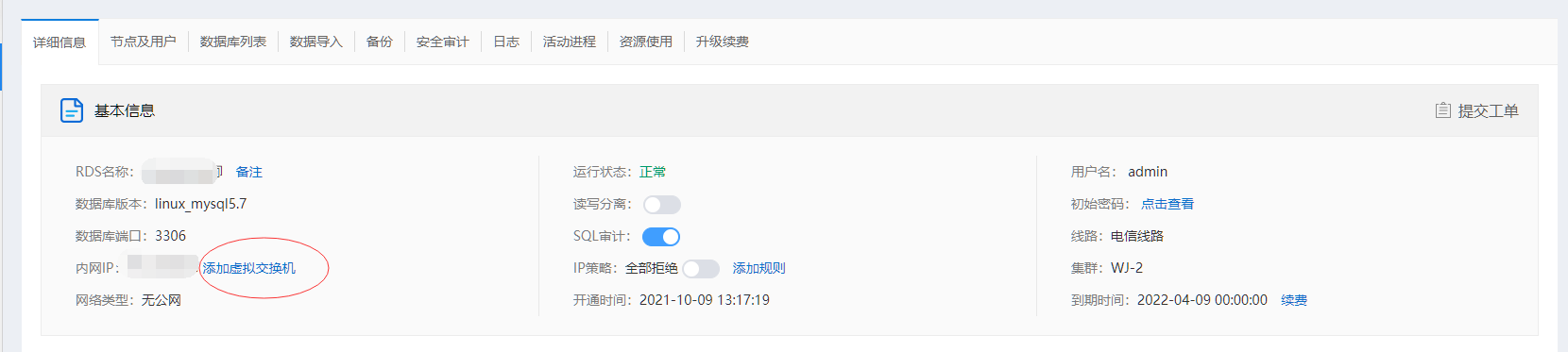
4.2 If the rds you purchased does not have a public network, click Add Virtual Switch and follow the prompts to connect it to the same logical private network as your elastic cloud server, and manage it by connecting through the private network address.
5. Can non-root users add more users?
Non-root users can also add users. After successfully logging in with the admin account, use the statement
create user ‘test’@’%’ identified by ‘password’.
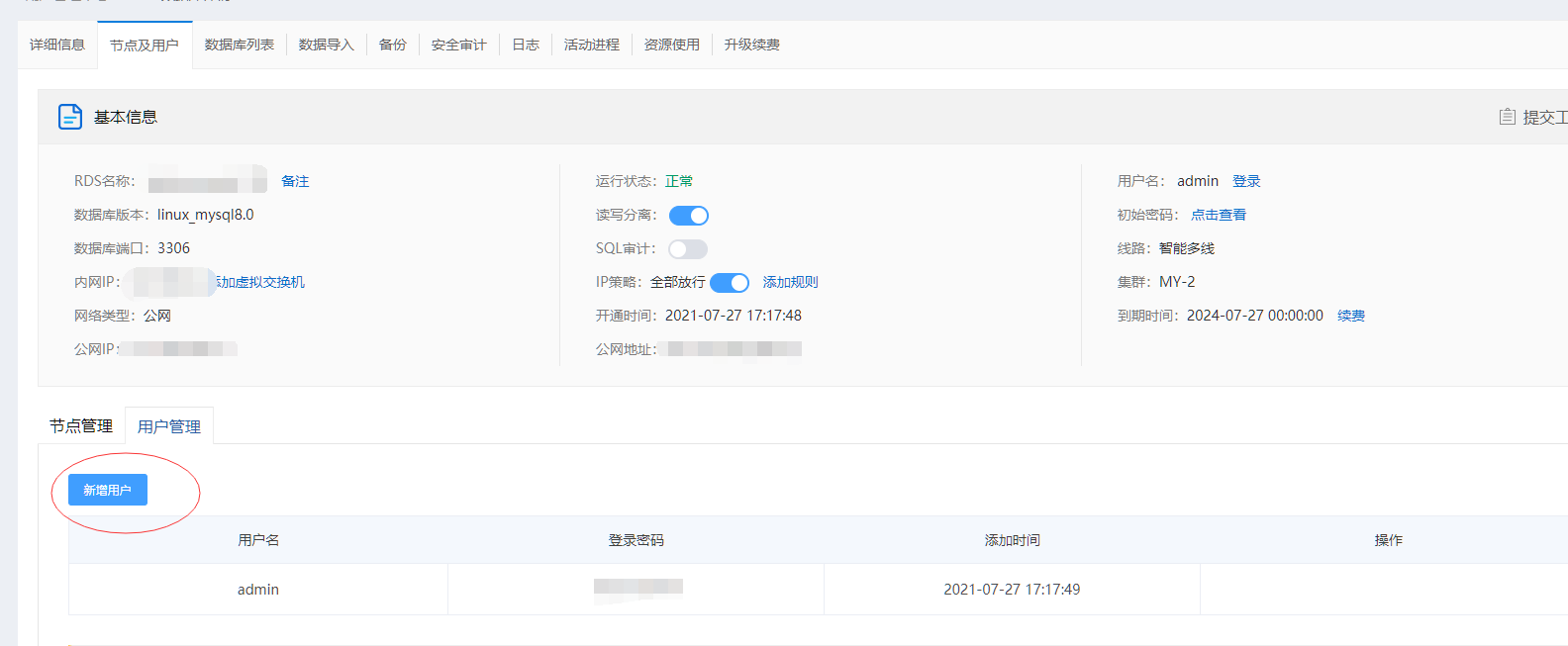
After the user is created successfully, please register the account and password once as shown below before it can be used. The username and password are the same as those created.
6. How to create a user to access a specified database
After successfully logging in with the admin account, use the statement create user ‘test’@’%’ identified by ‘password’ to create an account, then use grant privileges on the specified database name .* to ‘test’@’%’ identified by ‘password’;
7. After RDS is activated and a database is created, how is it used in a program?
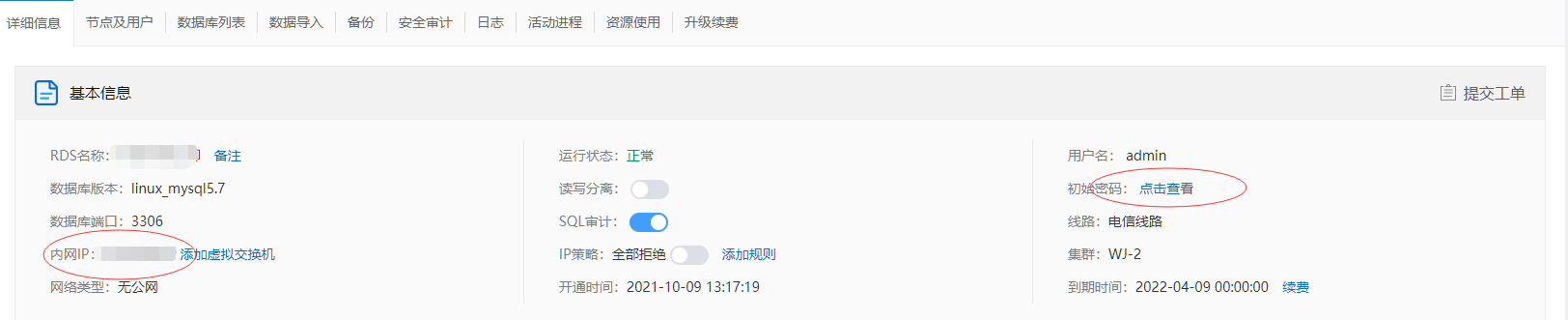
In the program, the user is admin, the password is obtained through the console, the connection address uses the private network address (if there is a public network, you can use the public network address, but it is recommended to establish a logical private network, refer to 4.2, and access using the private network address), and the port uses the default 3306. The password and private network address are obtained as shown below.