
[Share] Use YunSuo's one-click inspection to detect website trojans.
Published: 2018-04-02
If a website visit redirects to gambling or pornographic websites, or abnormal ads appear when visiting the website and gambling or similar information appears in the website content, it is generally the website being injected with malicious code,
The website has been injected with malicious code, but because many webmasters know nothing about website programs and only know how to upload website programs and publish information, they have no way to deal with this kind of website malicious code injection.
Today I will provide a simple handling method for websites on a server that have been injected with malicious code or have hidden links. For many webmasters who do not understand website maintenance, this is a relatively simple method that can quickly locate the malicious-code file. This can only be detected by using Yunsuo's one-click inspection. Webmasters who do not know Yunsuo must not use Yunsuo randomly, otherwise the permissions may be messed up and the website will become inaccessible. For newbies, I can only apologize and say there is nothing I can do.
1. Yunsuo Installation
This method uses Yunsuo, http://www.yunsuo.com.cn/
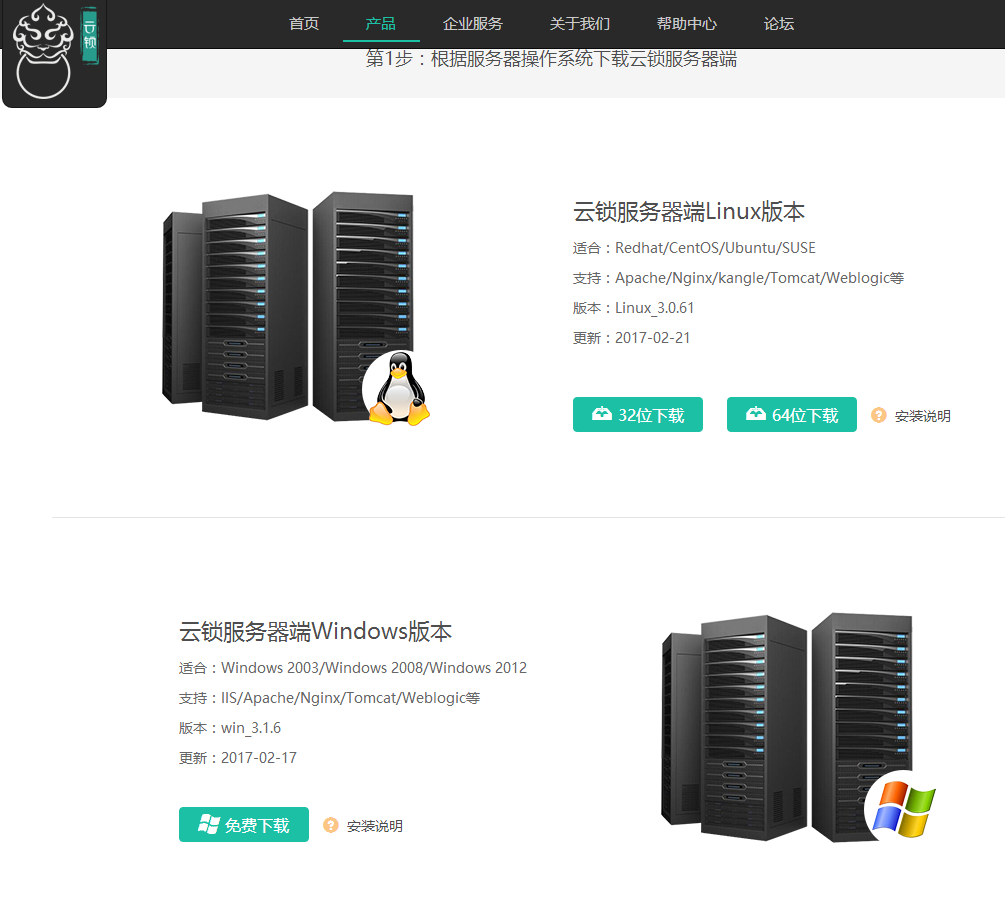
First check what operating system your server uses. For Windows systems, Yunsuo is not divided into 32-bit and 64-bit; for Linux systems, there are 32-bit and 64-bit versions.
For Windows systems, directly download the installation software to the server and install it. This is very simple and needs no explanation. Remember that you do not need to set an account or password; just skip it.
The newbie test used a 64-bit Linux server. If you do not know the bit version of your system, you can use the kernel checking method and enter
uname -a or more /proc/version
After the kernel version there will be an X86_64, which means it is a 64-bit system.


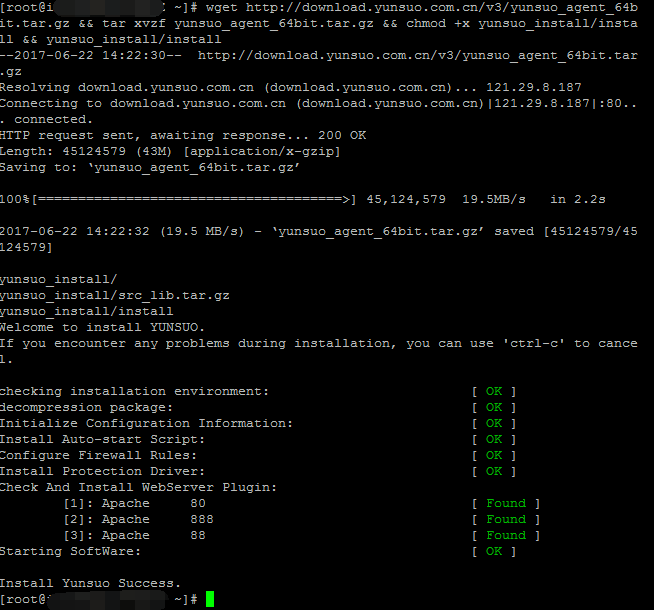
Linux installation instructions: http://help.yunsuo.com.cn/guide/Lin_inst.html
x86: wget https://download.yunsuo.qianxin.com/v3/yunsuo_agent_32bit.tar.gz && tar xvzf yunsuo_agent_32bit.tar.gz && chmod +x yunsuo_install/install && yunsuo_install/install
x64: wget https://download.yunsuo.qianxin.com/v3/yunsuo_agent_64bit.tar.gz && tar xvzf yunsuo_agent_64bit.tar.gz && chmod +x yunsuo_install/install && yunsuo_install/install
Directly enter the command in the Linux server SSH terminal and press Enter
If "Install Yunsuo Success." appears, it means the installation was successful.
Then use the Yunsuo control console for management. You can use their web console, but I personally prefer to download the local client for standalone management.
2. Local Yunsuo Management
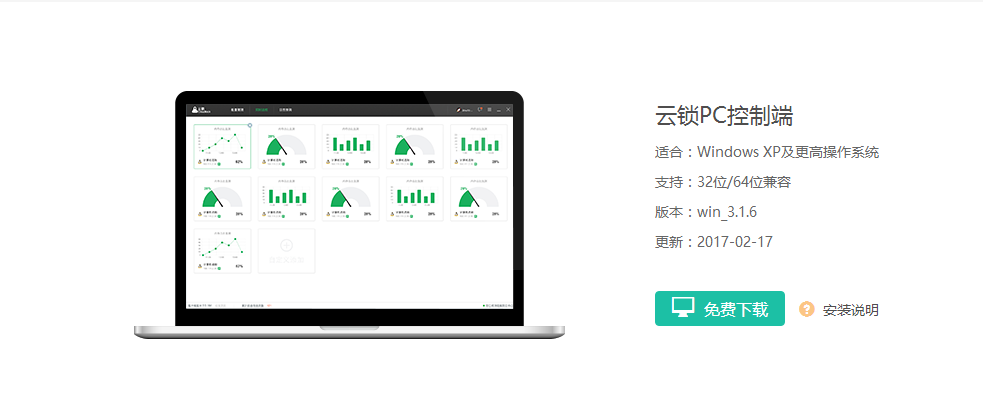
1. Download it locally and install it. Open and run it, and this is the interface
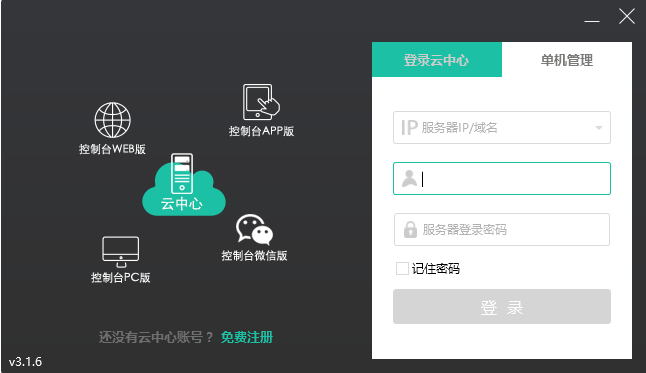
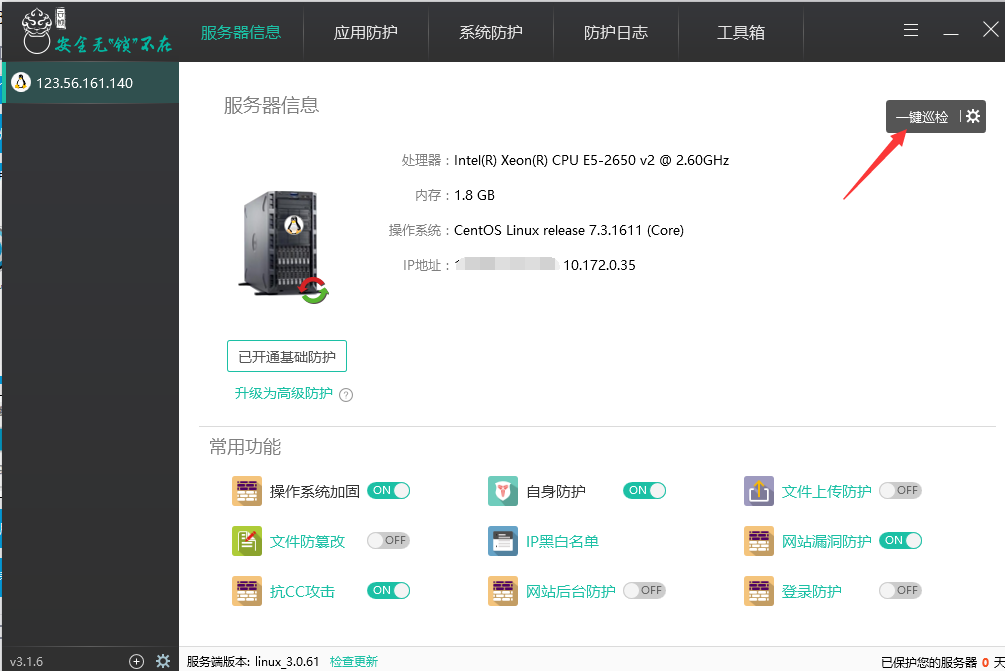
Since we did not set a cloud platform account or password, enter the server's IP address and the server remote login account and password, then click one-click inspection and wait for the inspection results.
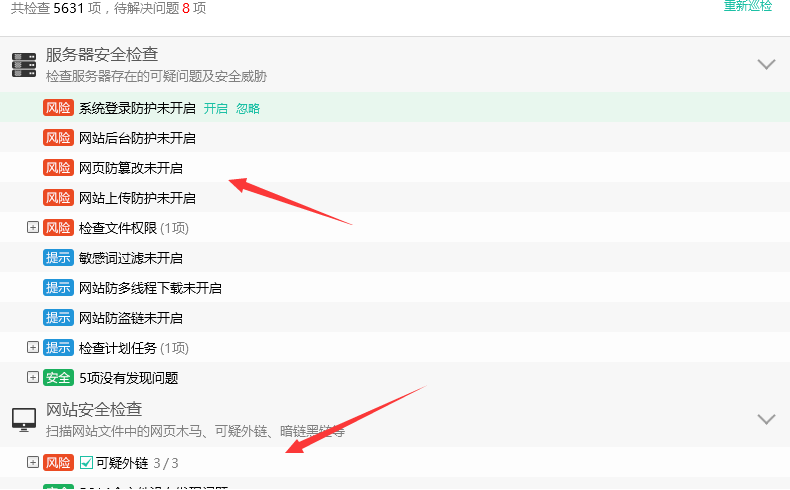
Because the test website is not large and has few files, the inspection is quick. If the website files are large, it may take a little longer. The results are out. You can clearly see suspicious external links in the website security detection. If there are common malicious code injections, they will be displayed in this category,
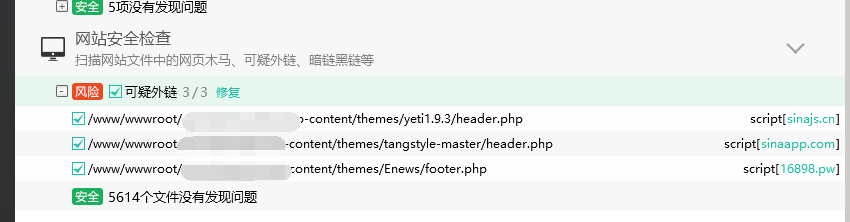
Check whether they are abnormal files or links. If so, just delete the corresponding abnormal files and links. Isn't it very simple? At the same time, Yunsuo also has other good functions, such as backend protection and web page tamper protection.
If there are many sites on the server and you do not want to inspect all of them, you can set one-click inspection to detect only that one website.
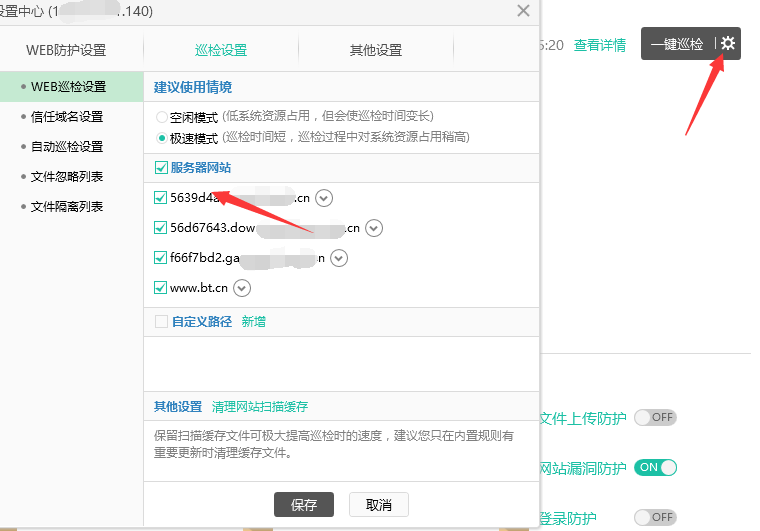
File Tamper Protection
Some users, in order to increase a website's PR value, usually hide their own links on websites with high traffic and make the links very concealed, so that they are not easily noticed by search engines in a short time. Hackers, however, often obtain website administrator accounts through various means, then log in to the website backend, and obtain a webshell through database backup/restore or upload vulnerabilities. They use the obtained webshell to modify the content of website pages and add malicious redirect code to the pages. They can also directly obtain the server or website FTP through weak passwords, and then directly modify the website pages.
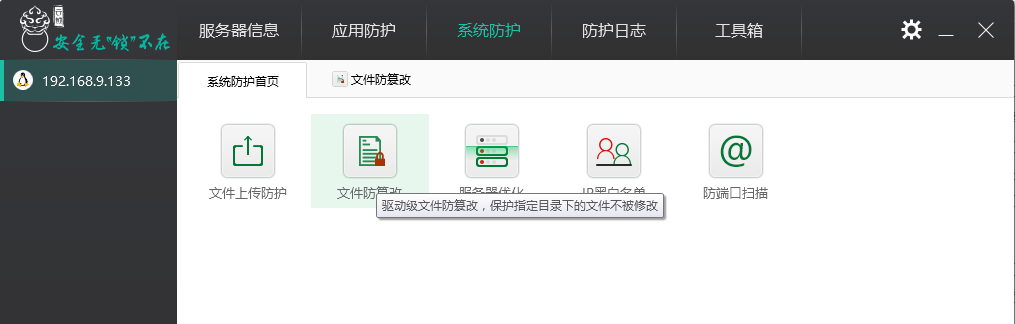
The "File Tamper Protection" function uses kernel hardening technology to protect website directories and files from being modified; even if permissions are obtained and a Webshell is uploaded, the website files still cannot be modified.
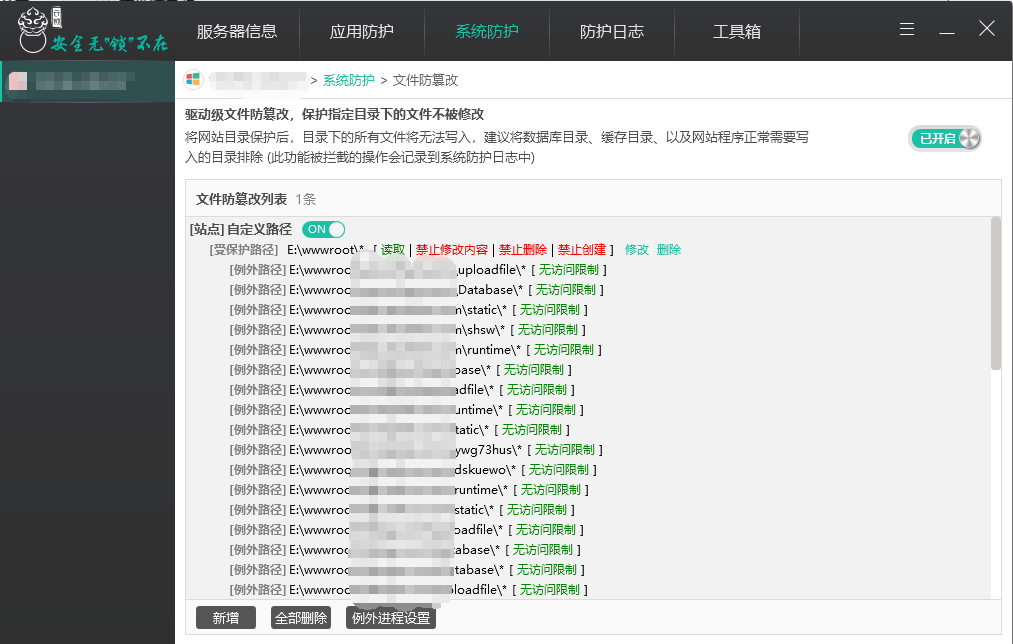
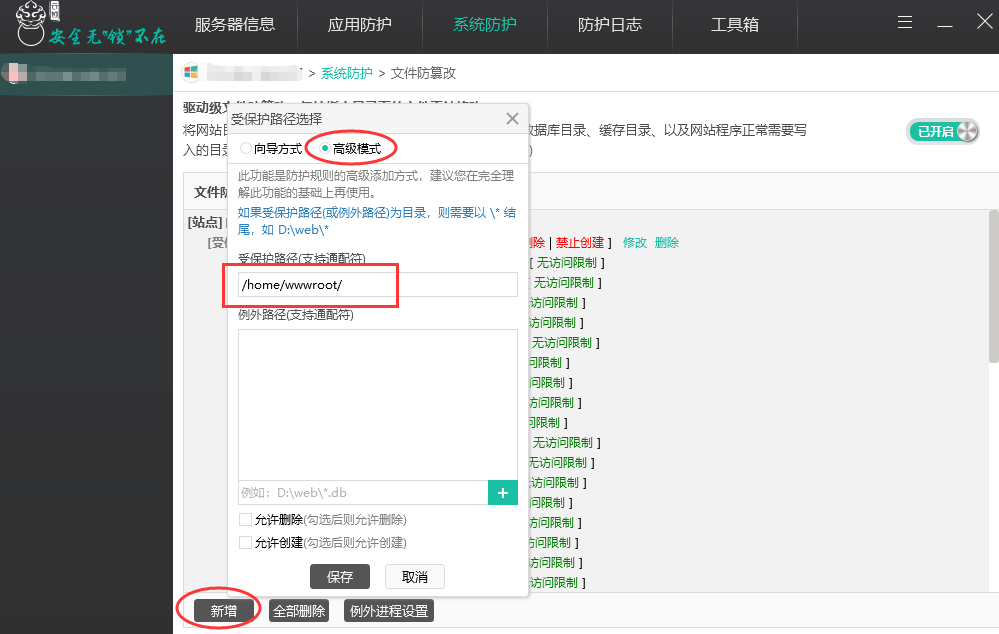
Enter and enable the "File Tamper Protection" function in "System Protection", and add protected paths. You can choose whether to allow creating and deleting files according to the actual situation of the website files. Users can choose to protect website directories or files according to their own actual situation.
As shown in the figure below, set a directory for tamper protection, then add some exception directories. The exception directories here are generally the website's write directories, such as the upload attachment directory, cache directory, log writing, and other necessary directories.
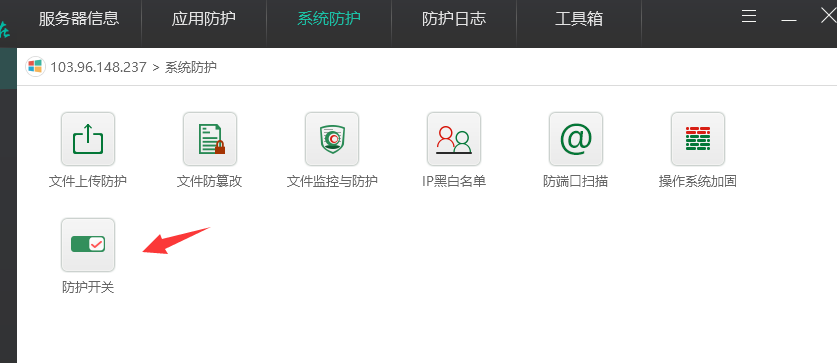
In addition, the protection switch must be enabled to take effect.
Additional note:
Our company's Linux servers have BaoTa Panel preinstalled. The actual path corresponding to websites is /home/wwwroot/, and all websites are stored under this directory, so when adding tamper protection you must manually add and select the corresponding website directory, for example, /home/wwwroot/abc.com.
The Yunsuo client also has many functions. You can refer to http://help.yunsuo.com.cn/guide/PC_inst.html
This is just a simple use of Yunsuo to find and clean malicious code. Finally, be very careful: webmasters who are not familiar with Yunsuo should only use the simple one-click inspection. Do not randomly operate other things you do not understand, to avoid abnormal website permissions and website inaccessibility.