How to Modify DNS Settings for 新网互联 Domains
Published: 2019-02-10
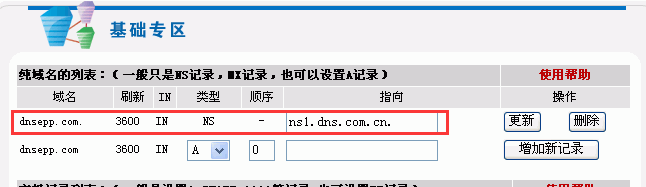
For domains registered with 新网互联, the DNS defaults to 新网互联 DNS servers (for example: ns1.dns.com.cn, ns2.dns.com.cn).
For ease of management, by using 西部数码's intelligent DNS resolution service, you can change the domain's DNS to 西部数码's DNS, or change it to the DNS of other service providers such as 百度云加速, 加速乐, Dnspod, and 51dns.
西部数码 domain DNS resolution servers:
ns1.myhostadmin.net
ns2.myhostadmin.net
ns3.myhostadmin.net
ns4.myhostadmin.net
ns5.myhostadmin.net
ns6.myhostadmin.net
When configuring DNS, you can configure all 6 DNS servers, or configure two of them as needed.
新网互联 domain management address: http://mgt.dns.com.cn/
The specific steps to modify 新网互联 domain DNS are as follows:
1. Log in to http://www.dns.com.cn/index.htm, and click 【Member Center】 at the top of the page.
2. After entering the Member Center, click 【My Domains】 in the left navigation bar.

3. Enter the My Domains page, find the domain whose DNS you want to modify in the list on the right side of the page, and click the domain.

4. After clicking the domain, the following page will open; click 【Modify Domain DNS】.

5. Enter the Modify DNS page, first select 【Fill in specific information】 for the name servers.

6. Enter the DNS in the input box, and click 【OK】 to complete the modification.
If you are using 新网's mydns manage function, modify the corresponding ns records.