
[Original] Agent Platform Enable QQ Login Setting
Published: 2012-10-23
I. Become a Developer
Developers can access the QQ Connect Open Platform through the following steps: Register as a developer → Create an application → Complete information and obtain APIs
1. Register as a Developer
1. On the homepage of the QQ Connect Open Platform https://connect.qq.com/ , click the “Login” button in the upper right corner and log in with your QQ account, as shown below:

Important:
Once a developer QQ number is registered, it cannot be changed. It is recommended to use a company public QQ number instead of an employee's personal number for registration, so as to avoid unnecessary trouble caused by situations such as employee resignation.
2. After successful login, you will be redirected to the developer registration page, where you should submit the basic information of the company or individual as required.
3. After submitting the information as required, the reviewer will review it. After passing the review, you will become a developer.
II. Create an Application
Access Application for Website Applications and Mobile Applications
Before application access, you must first apply to obtain the corresponding appid and appkey, so as to ensure that the website and users can be correctly verified and authorized in the subsequent process.
1.1 Create an Application
After developer registration is complete, click the “Application Management” button.

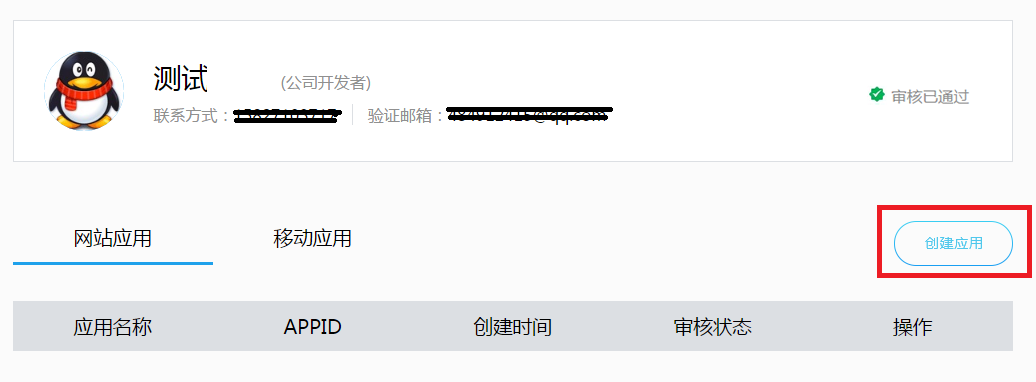
You will be redirected to the QQ Connect Management Center page. Click Create Application.
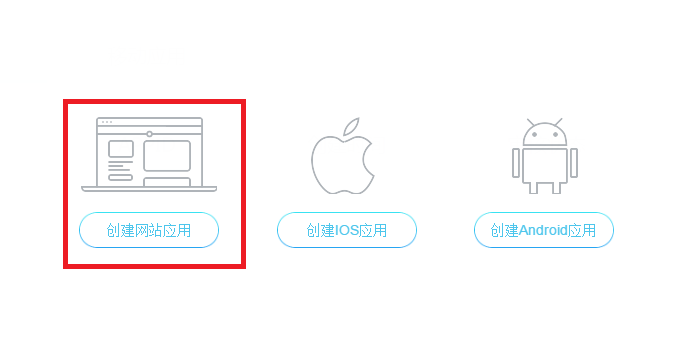
Select the type of application to create. We use website application as an example.
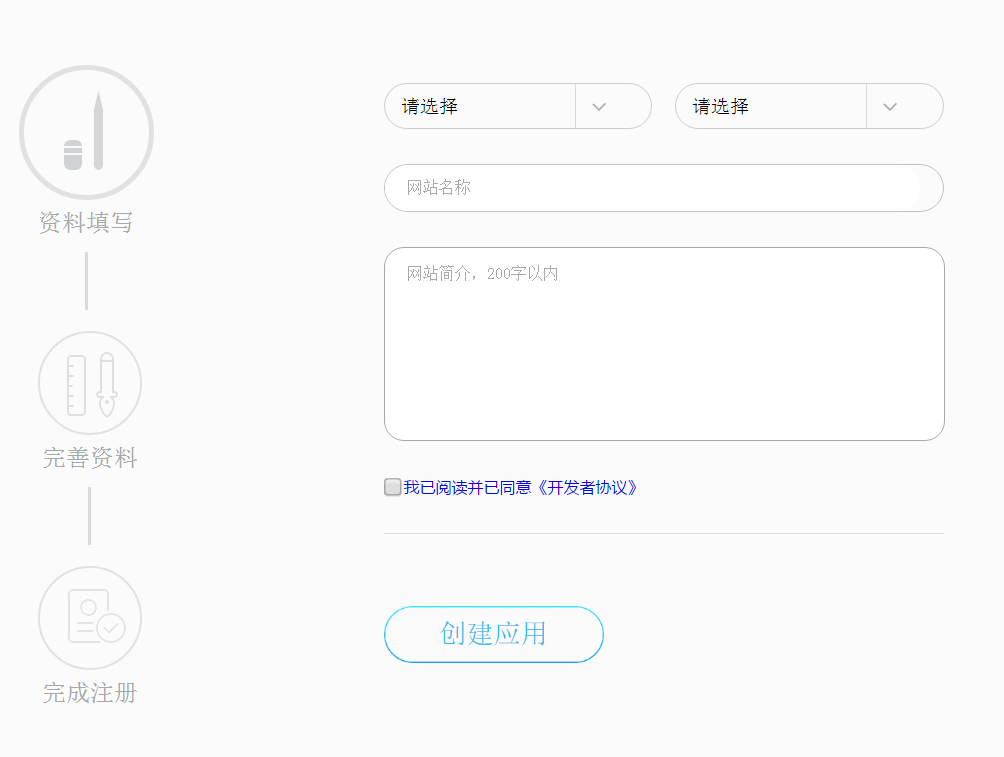
After clicking Create Website Application, complete the information as required.
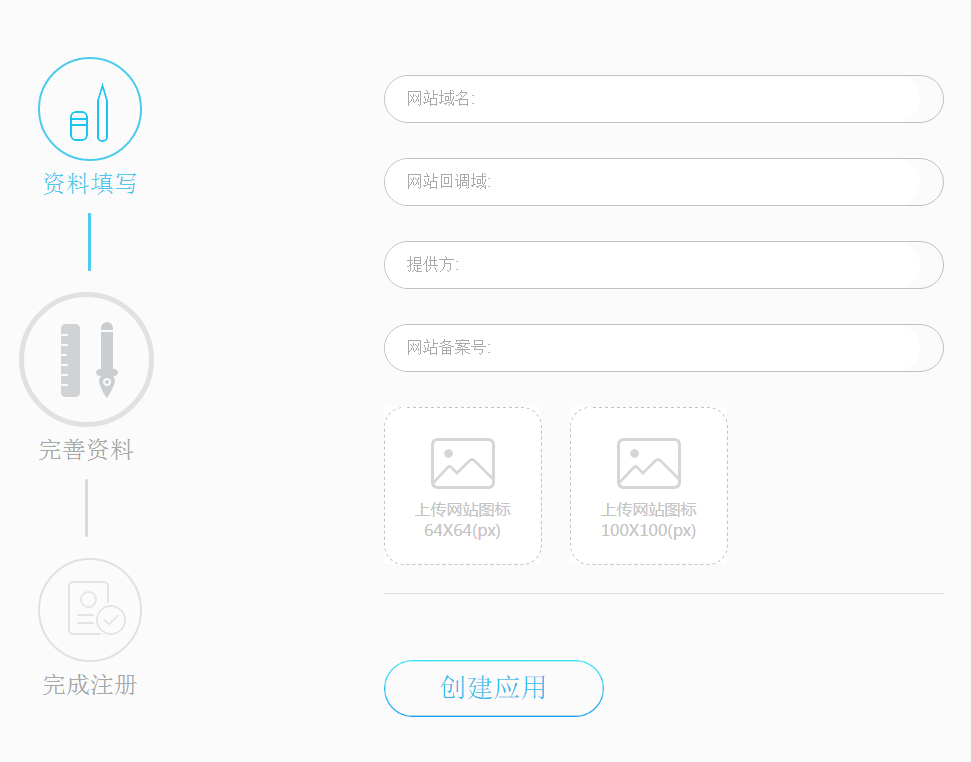
Special note: The website callback address is http://yourdomain/reg/returnQQ.asp
After the website information is completed, click “Create Application” and the website application will be created. Click “Application Management” to enter the management center, where you can view the appid and appkey obtained for the website, as shown below:

1.2 Complete Website Information
Click “Application Center”, then click “View” on the right side of the application to enter the application details page.

On the application details page, you can click “Edit” to edit the application’s “Basic Information” and “Platform Information”.
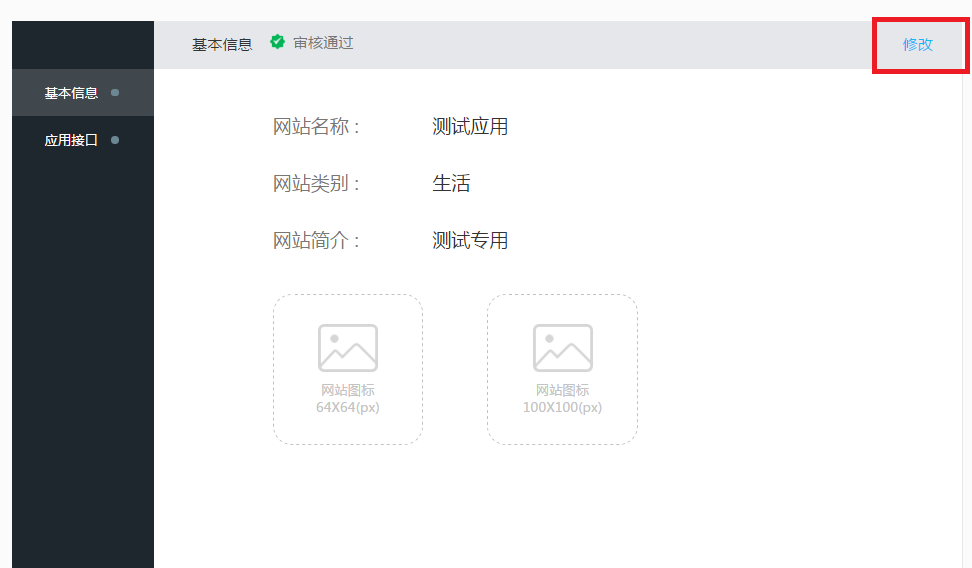
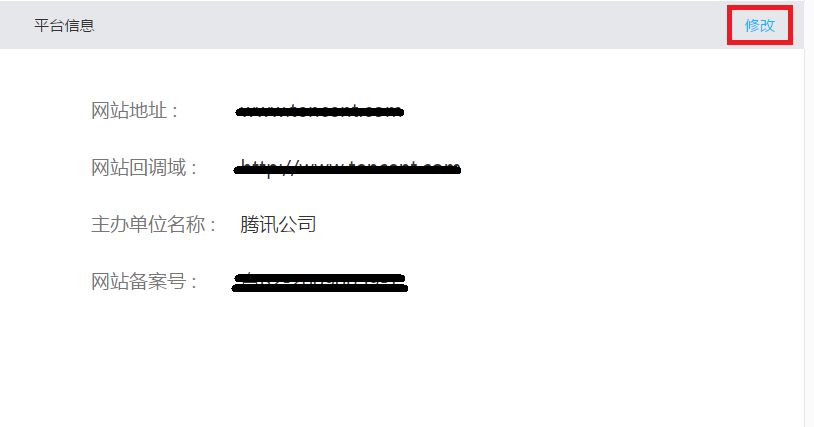
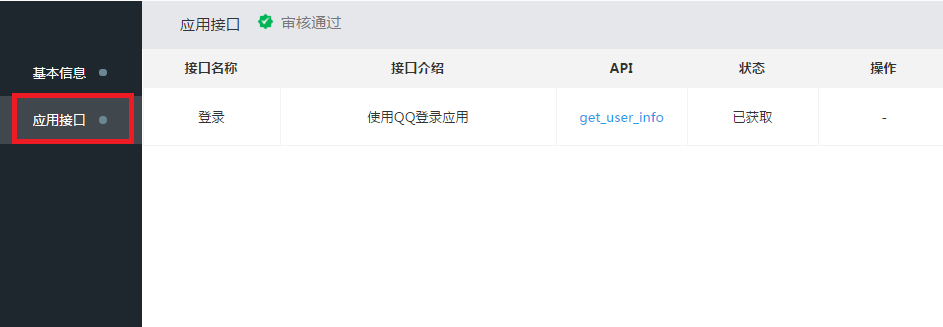
Click “Application APIs” to view the obtained APIs and use the QQ login function.
After a successful application, you will obtain appid and keys and fill them in the agent platform at the location shown below:

Return to the agent platform to configure the corresponding parameters. The return URL must start with http:// start
Special note: The website callback address is http://yourdomain/reg/returnQQ.asp
Binding and unbinding for new QQ login makes it convenient for existing users to bind QQ
Location for binding and canceling QQ binding
Management Center ==》 Account Management ==》 Modify Profile
If you have any questions, please submit them to Ask and Answer!