Elastic Cloud Linux system enters single-user mode via the console to reset SSH login password (applicable to Debian 9/11/12).
Published: 2026-04-17
For centos6 system, please refer to: https://www.west.cn/faq/list.asp?unid=756
For centos7 system, please refer to: https://www.west.cn/faq/list.asp?unid=979
For CentOS8 system, refer to https://www.west.cn/faq/list.asp?unid=2475
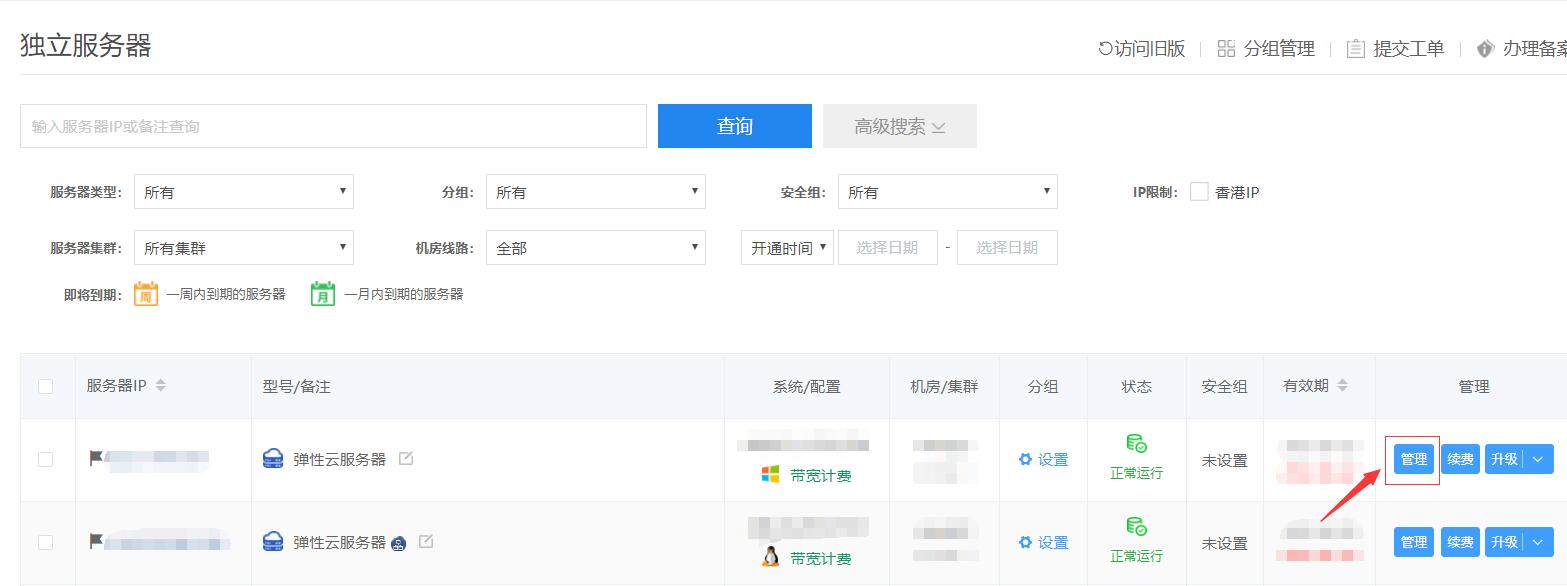
Through Management Center - Business Management - Server Management - Management, as shown in the attached screenshot:
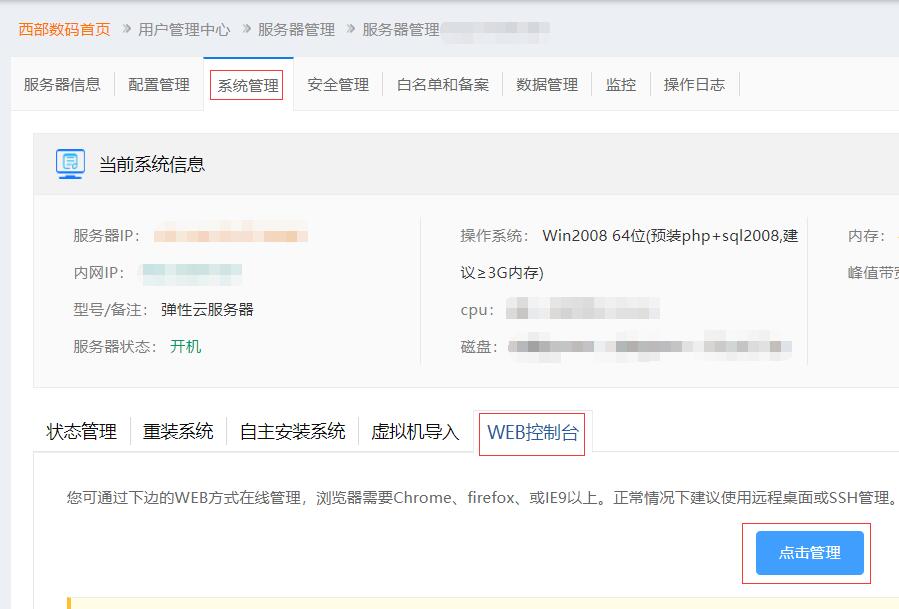
Then click "System Management" -- "WEB Console", as shown in the attached screenshot:
Then click Hot Restart Server as shown in the attached screenshot:
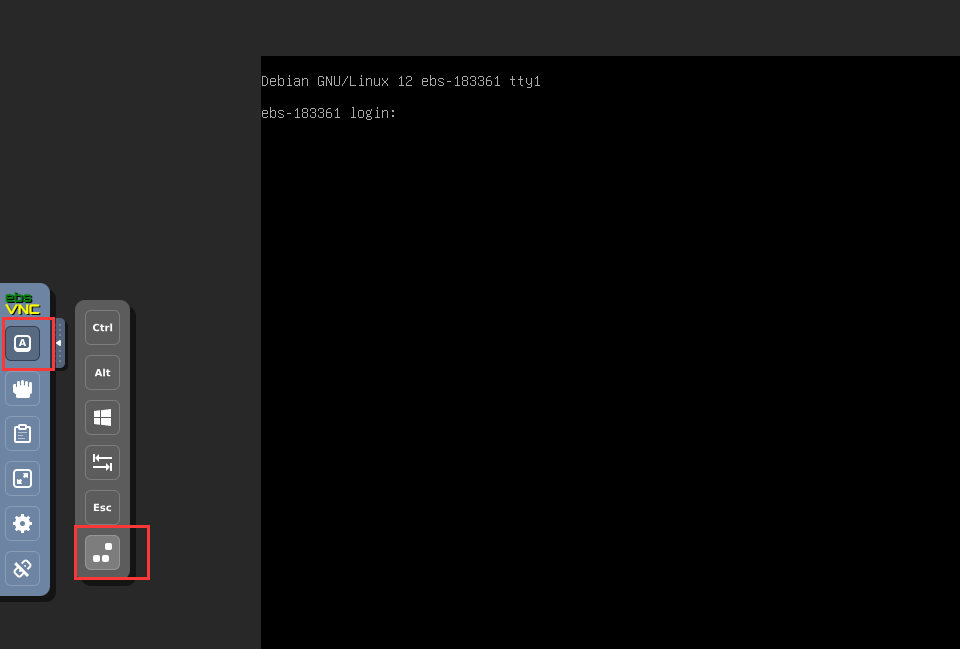
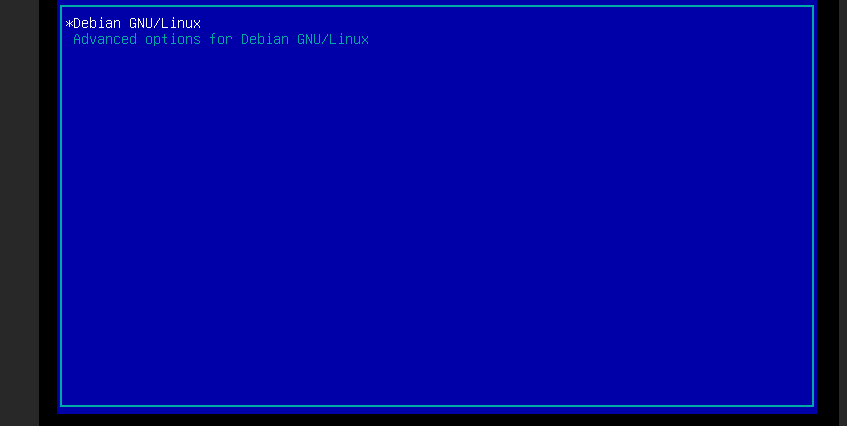
At the boot screen, press e.
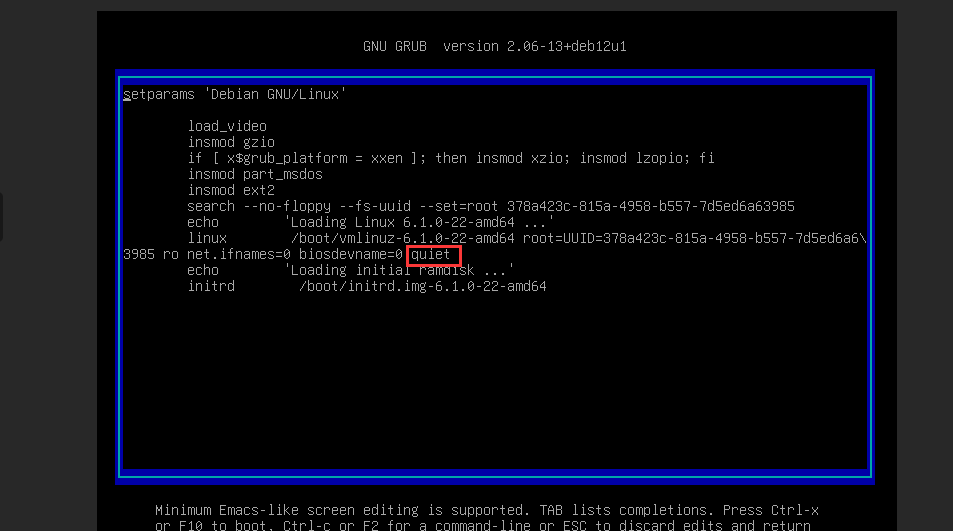
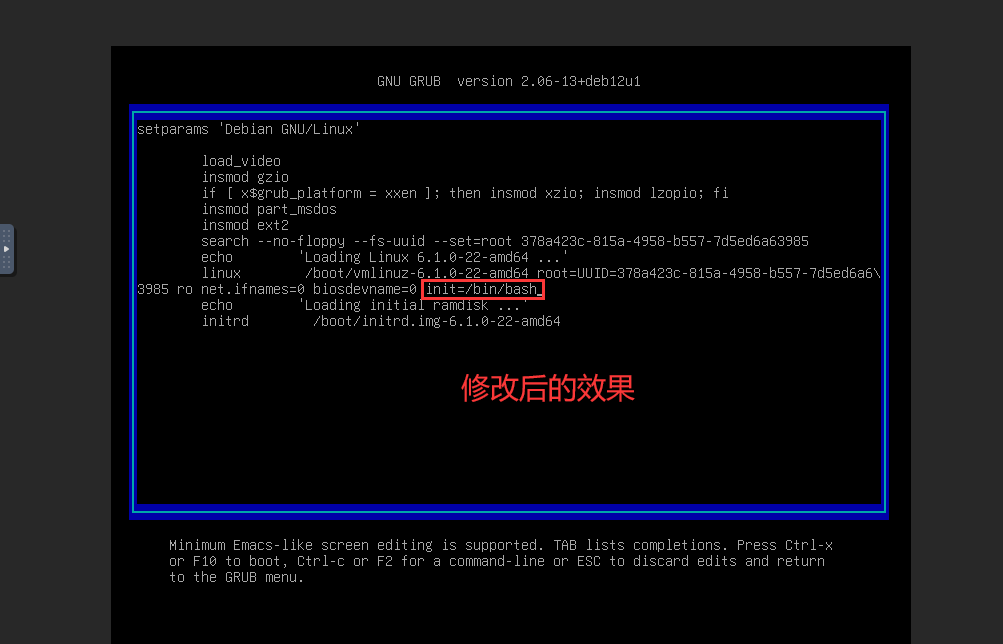
Move the cursor to quiet and change it to init=/bin/bash. After modification, press ctrl + x to start.
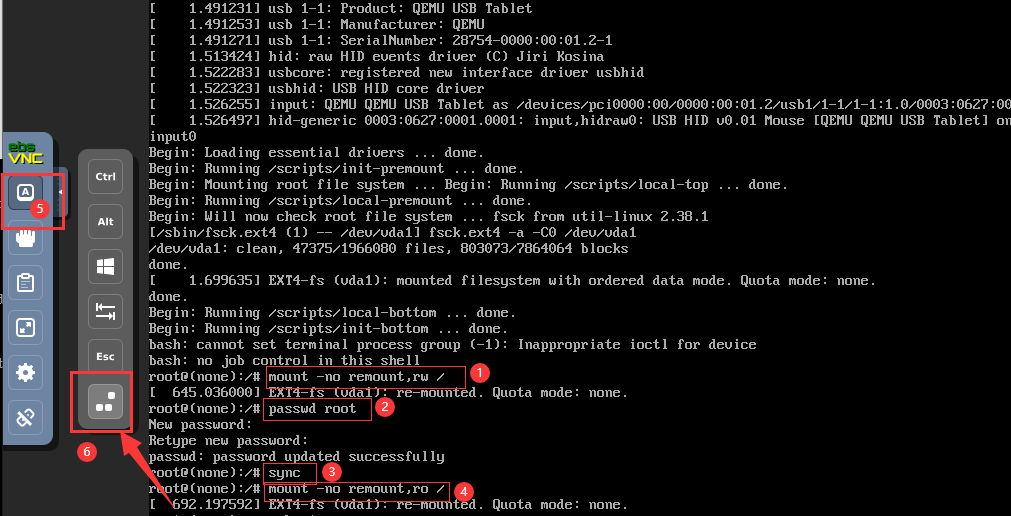
You have entered the single-user shell interface. However, by default the root partition is read-only and you cannot modify the password. You need to change the root partition to writable.
Enter the following commands in order to change the password.
mount -no remount,rw /
passwd root
sync
mount -no remount,ro /
After the modification is complete, restart directly from the control panel or click the restart button on the left.