How to set page layout and component rendering
Published: 2025-04-08
Composition of a Website: Layout [Grid Container] + Rendering [Component] = Website
I. How to Layout?
1. Add Main Container:
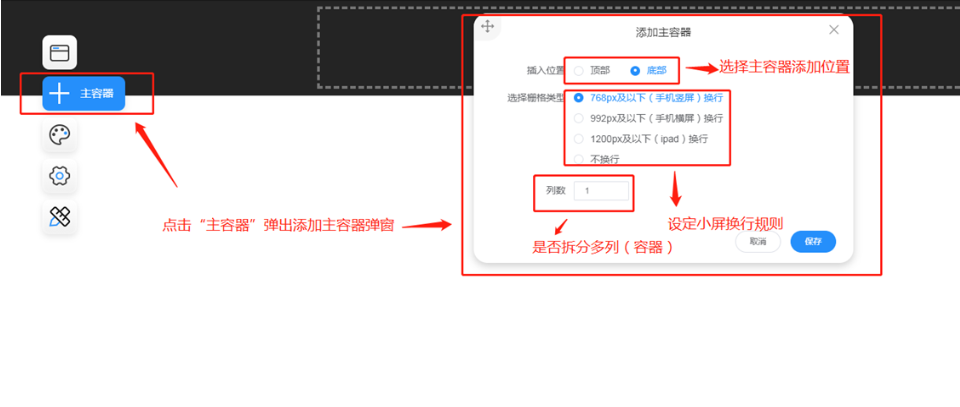
2. Split into Multiple Columns
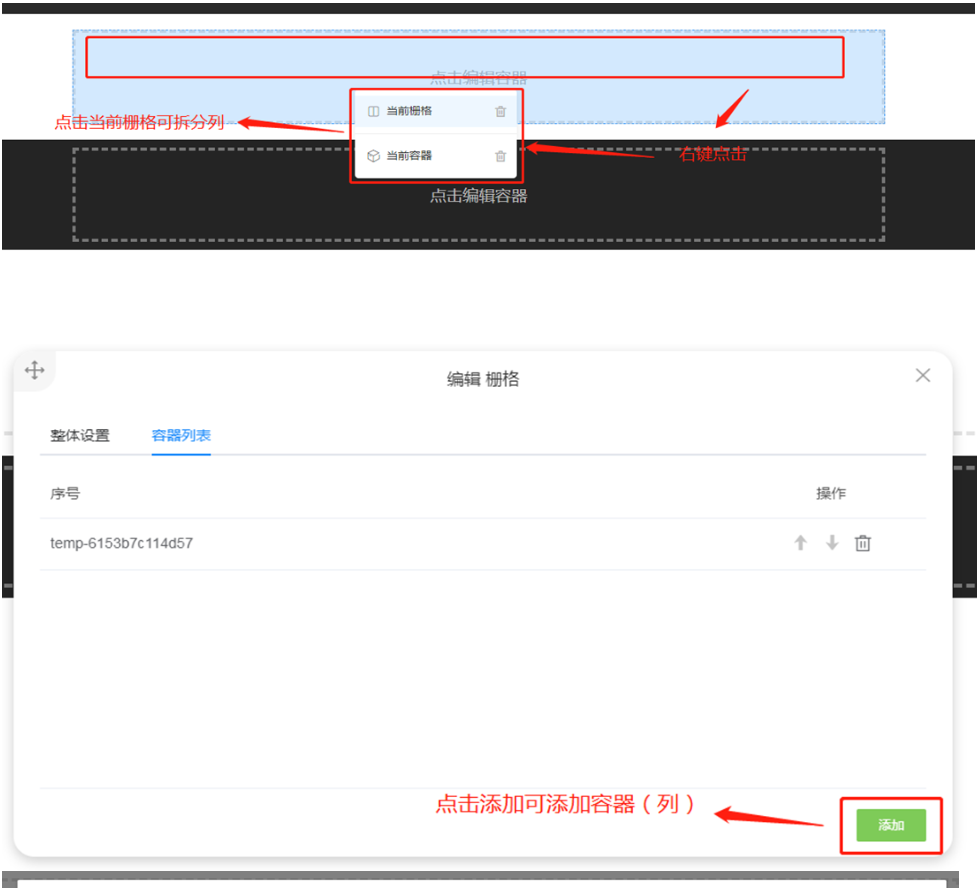
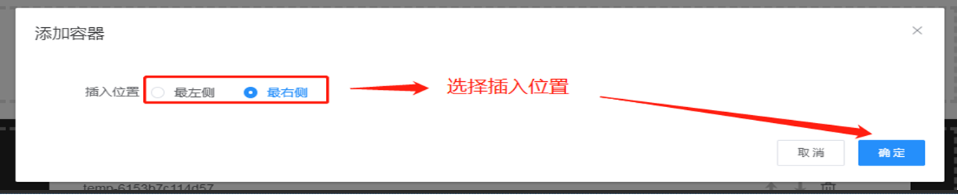

3. Split into Multiple Rows
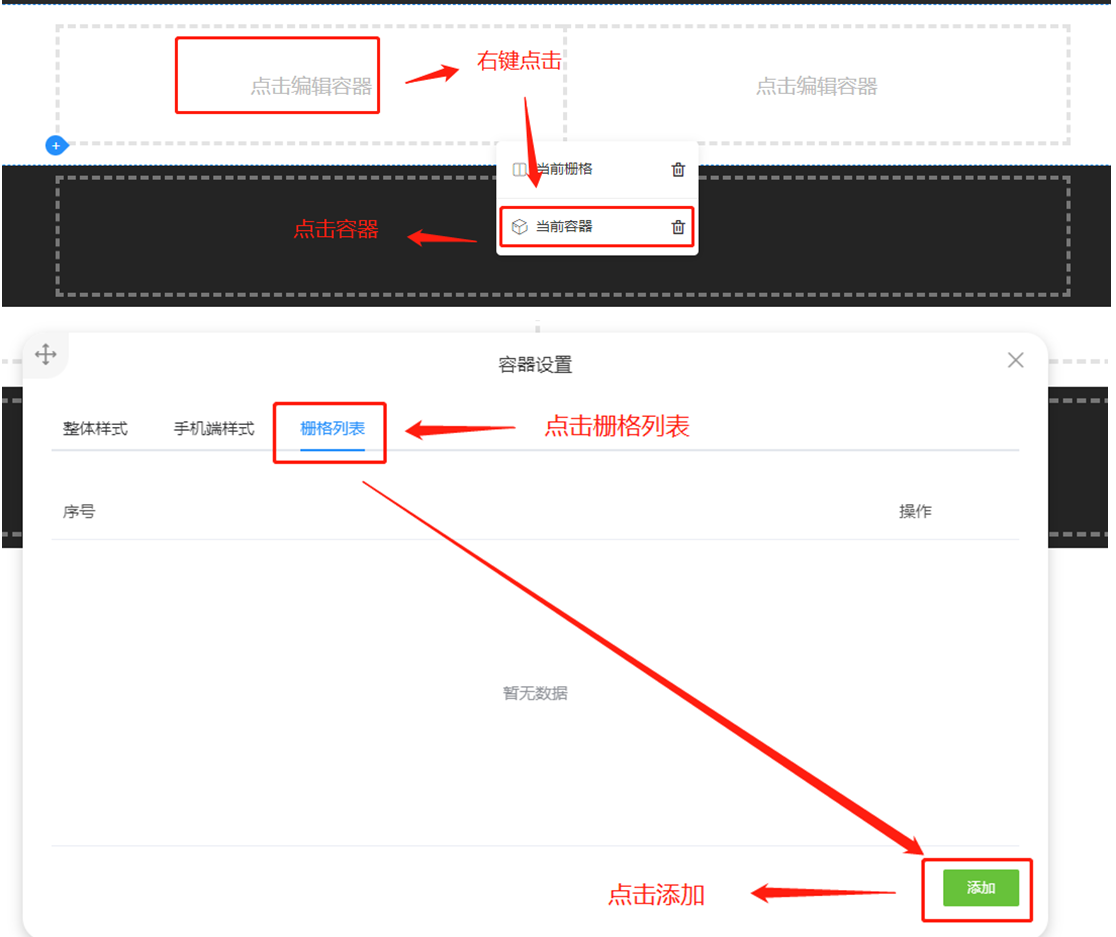
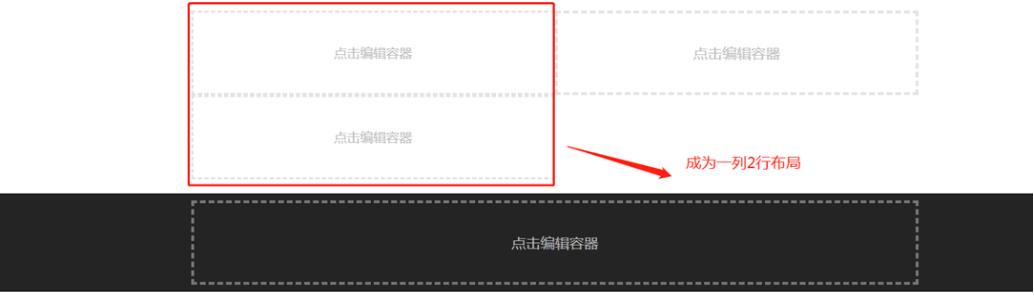
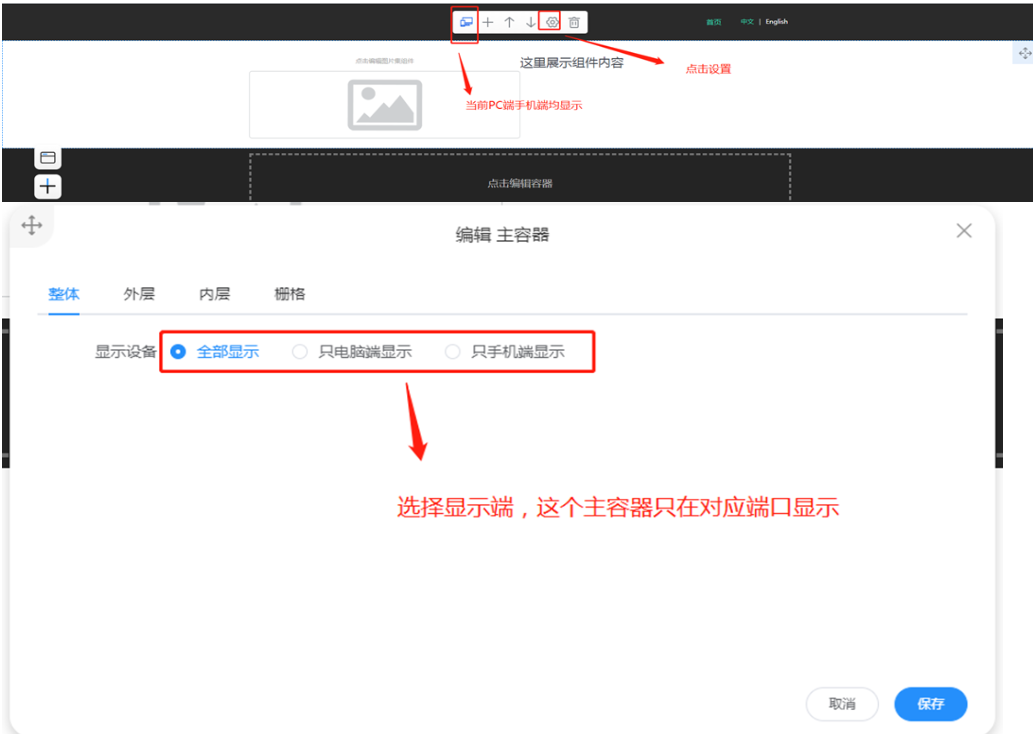
4. Display Settings
Summary:
(1) Grid represents rows, and container represents columns.
(2) To split rows, right-click the container to add a grid; to split columns, right-click the grid to add a container.
(3) The last-level container with rendered components cannot be split.
II. How to Add Components?
1. Add Component: Render Component in Container
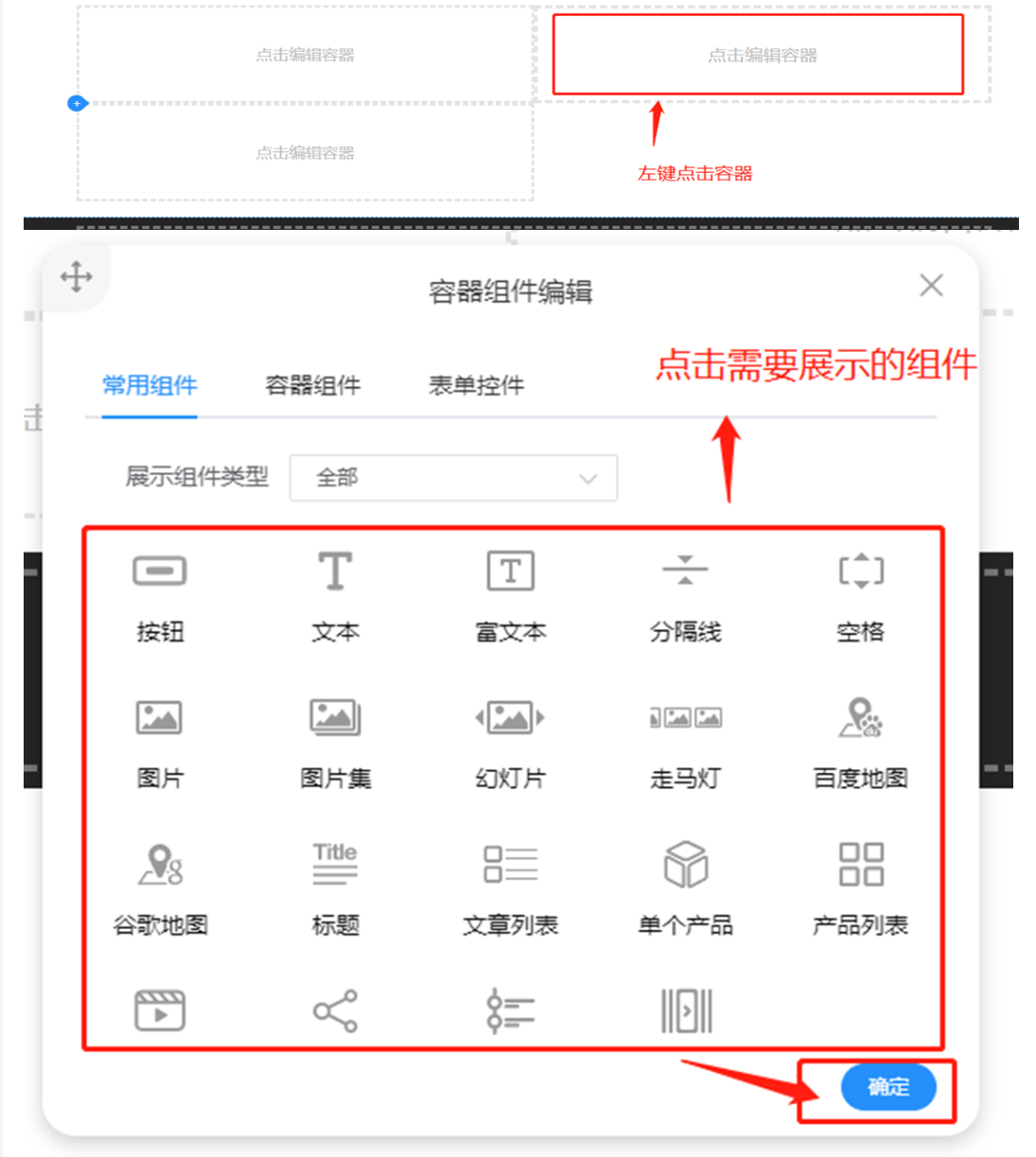
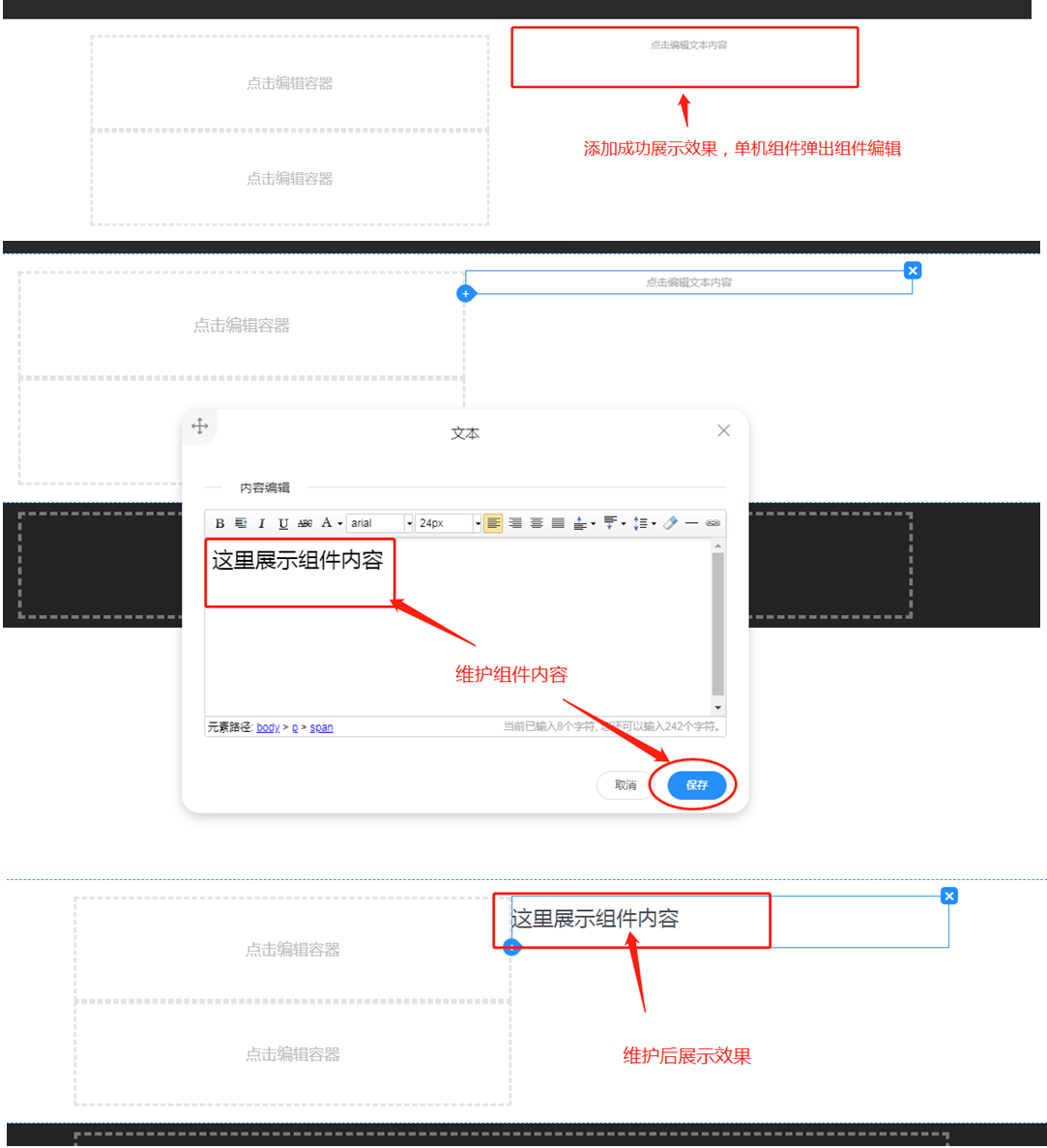
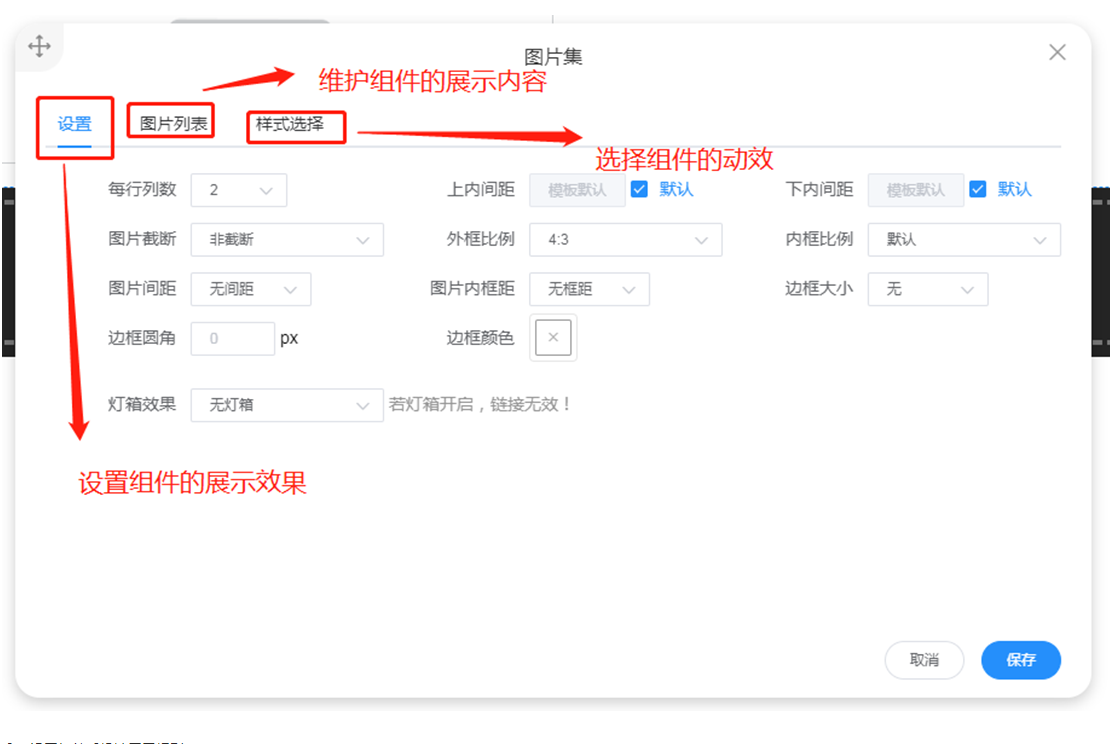
2. Component Composition:
Settings + Data + Display Effect
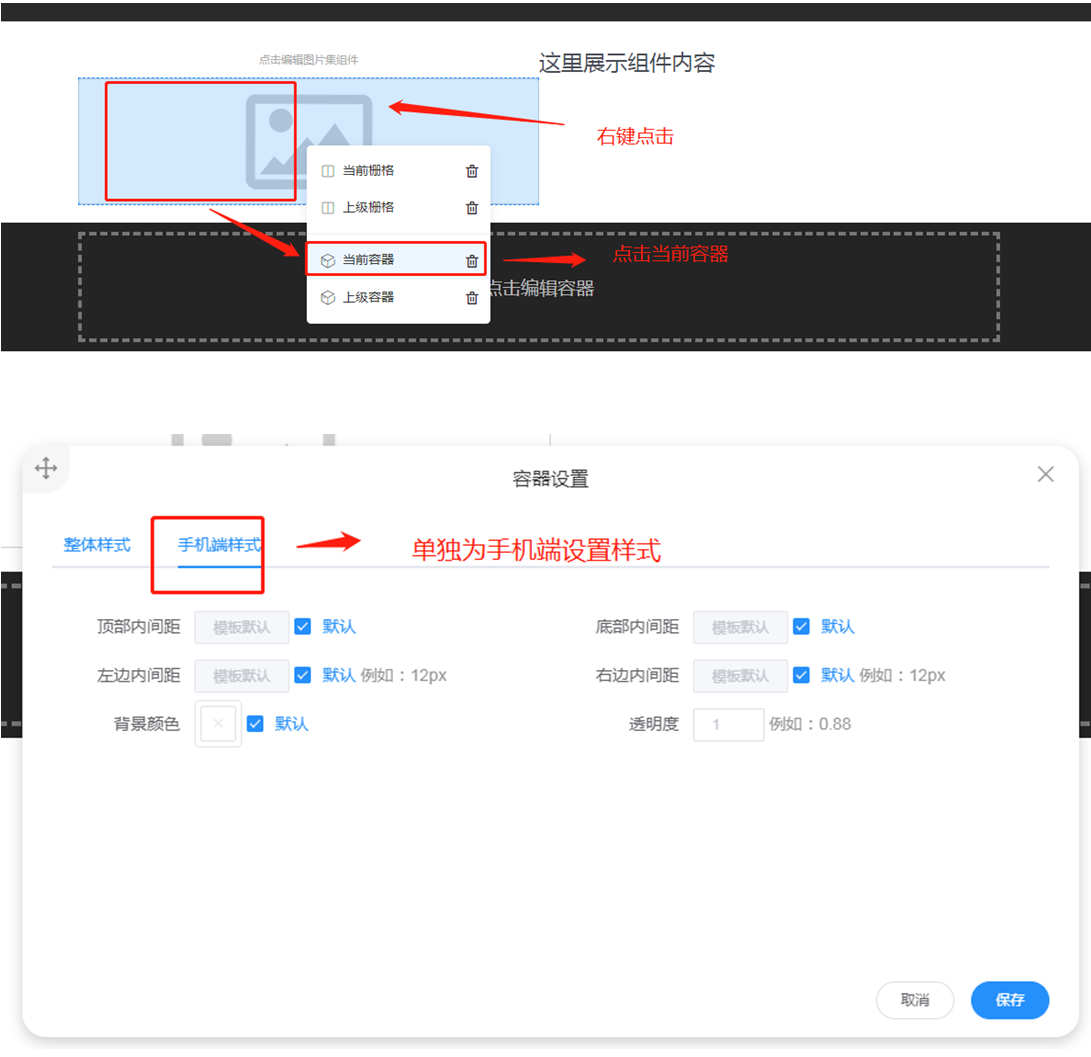
3. Set Mobile Display Rules for Components