
How to set the watermark feature for images?
Published: 2025-04-08
Step 1: You must set the watermark first. There are two watermark methods: text or image. The watermark position is fixed.

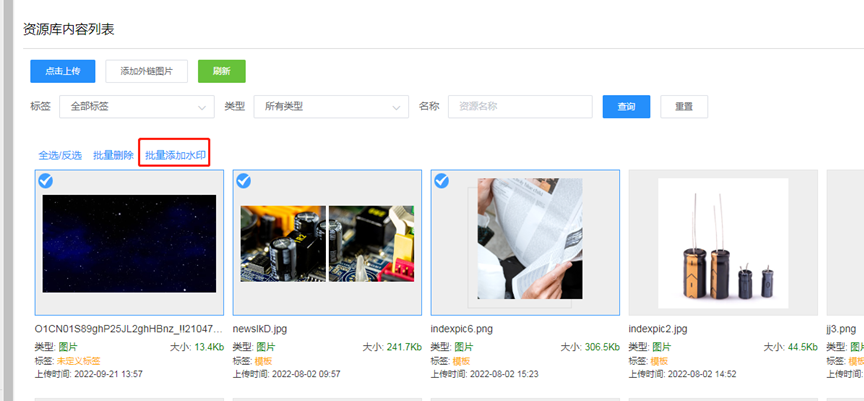
Step 2: In Resource Management, select the images to which you want to add a watermark, and add watermarks in batches, as shown below:
Please be sure to note:
After the watermark is set, you need to select the image in File Management before you can add the watermark to it.
Once the system-configured watermark is added to an image, it cannot be removed. The only way is to delete the image and upload it again.